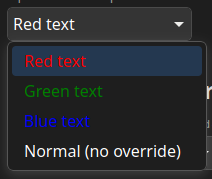
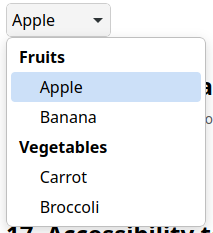
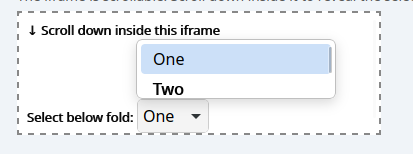
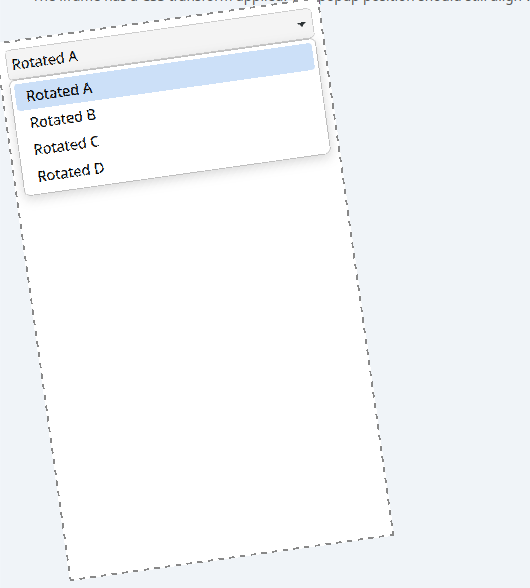
Safari Technology Preview Release 249 is now available for download for macOS Golden Gate and macOS Tahoe. If you already have Safari Technology Preview installed, you can update it in System Settings under General → Software Update.
Fixed an issue where an aria-labelledby relation was not built when its target element was inserted via innerHTML. (316913@main) (179677418)
Fixed an issue where VoiceOver was silent during character navigation inside a local iframe. (317264@main) (182229891)
Fixed an issue where web content somtimes appeared empty to assistive technology after navigation. (317449@main) (182544199)
Animations
Resolved Issues
Fixed an issue where calling play() on a finite scroll-driven animation timeline did not reset its start time to the current time. (316745@main) (181712713)
Fixed an issue where animation-timeline did not use the last matching timeline when it matched multiple timelines. (317330@main) (182405676)
Fixed an issue where animation-timeline could match a timeline outside the nearest timeline-scope element with that name. (317376@main) (182417407)
CSS
New Features
Added support for the attr() function. (316672@main) (173992627)
Added support for outline-offset: inset. (316677@main) (180547604)
Added support for the @function custom functions rule. (316671@main) (181625123)
Added preview support for the wrap-inside property. (317182@main) (181751564)
Added support for the if() function. (316813@main) (181806268)
Added support for calc-mix(). (316847@main) (181839626)
Added support for justify-self on block-level boxes. (317212@main) (181926245)
Added preview support for text-decoration-inset. (317230@main) (182019037)
Added preview support for the content property on the ::marker pseudo-element. (317211@main) (182066124)
Resolved Issues
Fixed an issue where setting view-transition-name dynamically did not create a stacking context. (317310@main) (178316558)
Fixed an issue where CSS Grid items with a computed preferred size that behaves as auto did not correctly compute their minimum content contribution. (316697@main) (181146154)
Fixed an issue where visually overflowing content in a CSS Grid item was not painted. (316668@main) (181277780)
Fixed anchor-center in vertical writing modes not being scroll-adjusted along the block axis. (316537@main) (181413103)
Fixed an issue where an empty editable flex container did not reserve a line’s worth of block size in vertical writing modes. (317467@main) (181485387)
Fixed an issue where CSS Grid did not correctly increase track sizes to accommodate items spanning flexible tracks. (317426@main) (181635324)
Fixed an issue where stretch alignment did not trigger stretch sizing for CSS Grid items. (316949@main) (181750071)
Fixed an issue where CSS Grid items could retain stale block sizes after a subsequent layout. (317166@main) (182144347)
Fixed an issue where clip-path shapes could render with incorrect arcs. (317397@main) (182443333)
Fixed an issue where ::highlight() and ::target-text ignored text-underline-offset. (317440@main) (182466757)
Fixed an issue where ::highlight() decoration replaced the originating element’s decoration instead of layering over it. (317439@main) (182523249)
Editing
Resolved Issues
Fixed an issue that disallowed font names that were not a valid CSS identifiers. (316948@main) (51409819)
Fixed the Edit menu’s Copy item being incorrectly enabled when there was no selection in the web page. (316571@main) (176061974)
Forms
Resolved Issues
Fixed an issue where the datalist popup menu was presented in the wrong place on a screen to the left of the main screen. (316965@main) (181967418)
HTML
New Features
Added support for popover=hint. (317402@main) (129495028)
JavaScript
New Features
Added support for the Temporal object. (316742@main) (181723535)
MathML
Resolved Issues
Fixed an issue where U+2016 (DOUBLE VERTICAL LINE) was missing the symmetric property in the MathML operator dictionary. (316867@main) (179558196)
Media
Resolved Issues
Fixed an issue where finding text starting from a selection could resolve to the wrong caption cue instead of the one nearest the video’s playhead. (317168@main) (182001231)
Rendering
New Features
Added support for dark mode in the XML document viewer. (316832@main) (122234600)
Resolved Issues
Fixed an issue where box-shadow rendering broke when the page was zoomed. (317080@main) (169167365)
Scrolling
Resolved Issues
Fixed an issue where re-snapping did not select the snap area aligned in both axes when multiple targets were aligned. (317294@main) (182285397)
Fixed an issue where scroll-snap-align was not respected when scrolling to an anchor or calling scrollIntoView(). (317495@main) (182544180)
Spatial Web
Resolved Issues
Fixed an issue where navigating back to a page with a previously active web environment left the UI stuck showing the environment as active. (316891@main) (180966321)
Fixed an issue where the background color of HTMLModelElement did not match spec for non-opaque colors. (316788@main) (181641249)
Web API
New Features
Added support for subgroups in WebGPU. (317145@main) (154874391)
Added support for close watchers, including the closedby attribute for dialog elements. (316680@main) (180105698)
Resolved Issues
Fixed an issue where a user gesture authorization token was not properly verified for Digital Credentials requests. (317228@main) (174908839)
Fixed DOMMatrix and IntersectionObserver correctly enforcing absolute-length unit requirements when parsing values. (316532@main) (181453666)
Fixed an issue where Scroll To Text Fragment directives could run outside text/html and text/plain documents. (316976@main) (181763736)
Fixed an issue where replaceChildren() could not replace a document’s children. (316909@main) (181921026)
Web Audio
Resolved Issues
Fixed Web Audio PannerNode orientation-only changes not updating the directional cone gain. (316541@main) (181413407)
Web Inspector
New Features
Added support for the range mappings proposal in source maps. (316748@main) (178564308)
Added per-element Layout Invalidated events in Web Inspector to reflect the number of elements affected by a layout invalidation. (317302@main) (181243589)
Resolved Issues
Fixed an issue where every <input> element showed a Scroll badge in the Elements tab. (316773@main) (101661656)
Fixed an issue where search results did not select the corresponding source code line for fetched JSON. (317499@main) (118115749)
Fixed an issue where search in Web Inspector did not find results inside the shadow DOM. (317500@main) (126458322)
Fixed an issue where Web Inspector could crash when selecting a popover matching a nested @scope with a bare declaration. (316987@main) (181745000)
Fixed an issue where Web Inspector mapped the crimson named color to the wrong RGB value. (317047@main) (182090064)
Fixed an issue where the gradient editor in Web Inspector dropped explicit 0% color stops and misparsed leading radial color stops. (317192@main) (182172439)
Fixed an issue where autocompleting a vendor-prefixed value in Styles could duplicate the prefix, for example producing -apple--apple-system. (317167@main) (182178871)
WebAssembly
Resolved Issues
Fixed an issue where Error stack traces did not include names for modules instantiated with WebAssembly.instantiateStreaming. (316642@main) (181523735)
WebDriver
New Features
Added WebDriver support for the Digital Credentials API, including commands to simulate wallet payloads, indefinite waits, and user rejection. (316435@main) (168941907)
WebRTC
Resolved Issues
Fixed OverconstrainedError to inherit from DOMException and expose a code attribute per the Media Capture spec. (316578@main) (180728516)
Update on what happened in WebKit in the week from July 14 to July 27.
This two-week update includes plenty of changes to the Skia compositor,
changes to multimedia support, three blog posts, and assorted improvements.
Cross-Port 🐱
The Web Inspector “Layout & Rendering” timeline now shows a Layout Invalidated event for every element
that needs relayout, not just the layout root (with the old root-only event
renamed to Layout Scheduled). This unveils why some layouts take much longer
than others. No more guessing which of dozens of nodes is actually to blame!
The webkit://gpu page has gained a dark
style, which will be used when the
system settings indicate that dark mode is preferred by the user.
Multimedia 🎥
GStreamer-based multimedia support for WebKit, including (but not limited to) playback, capture, WebAudio, WebCodecs, and WebRTC.
The experimental GstWebRTC backend was
removed and libwebrtc usage was
enabled in the main branch. We hope
to enable WebRTC support by default in the 2.56 series, scheduled around March
2027.
MP4 edit lists support was enabled in
the MSE backend, improving timestamp accuracy, specially when handling of
B-frames.
Graphics 🖼️
Split the compositing walk in the
Skia compositor into a damage pass and a paint pass, so the frame damage is
known before the first draw. The damage pass walks the layer tree with a
SkNoDrawCanvas in place of the real canvas, so every draw is discarded and
only the damage is collected. Both passes run from a single paint() that
applies animations and computes the transforms once, so the two see the same
tree. Knowing the damage up front is what lets the compositor eventually paint
only the parts of a frame that actually changed.
Wired up damage-driven compositing on
the Skia compositor, so a frame re-composites only the region that actually
changed instead of the whole surface, when the
UseDamagingInformationForCompositing feature is enabled (not yet on by
default). Each frame's damage is combined with what each swap-chain target
still needs to redraw since it was last drawn into, and the clear and every
draw are clipped to that region, which is a milestone towards no longer
repainting untouched pixels every frame.
Made the root layer collect the frame damage
itself in the Skia compositor, instead
of having each layer report its own changes. Reporting leaves a gap whenever a
layer is in no position to report, e.g. a destroyed one took its painted rectangle
with it, so what it had drawn stayed on screen. The root now holds one rectangle per
layer and compares it against what each frame's walk finds, so a layer that
moved is repainted in both places, and a layer the walk never reaches is
repainted where it used to be and dropped. Nothing has to notice anything for
the pixels it left behind to be repainted, which is what makes it safe to
restrict composition to the damaged region by default in future commits.
Limited every content draw to the target's repaint
region in the Skia compositor, so a
composited frame can redraw only the pixels that actually changed. Each content
type restricts itself to the region's rectangles rather than clipping the
canvas, since a multi-rectangle clip cannot be a hardware scissor and would make
Skia build a mask and break batching. This is the groundwork for damage-driven
compositing, which stays off by default behind the damage-tracking feature
flag, as the compositor still passes no region and nothing is restricted yet.
Made each swap-chain target track its own
damage since it was last current.
Repainting only what changed is correct only when drawing into the target that
holds the previous frame, but the swap chain hands back whichever target is
free, and that one is a frame or more behind. Each frame's damage is now added
to every target as it is recorded and cleared from a target when that target is
presented, instead of being built as a side effect of reading it.
Taught the tile and image draws in the Skia compositor to split themselves by
damage rectangle, so a frame only repaints
the parts of a layer that actually changed. A new SkiaDamageRegion holds the
frame's damage in device space and is built once per frame, and each draw is
restricted to it: skipped when it touches no damage, split into one sub-draw
per damage rectangle it overlaps, or drawn under a device-space clip when a rotated
or skewed transform rules out working with rectangles. Nothing feeds a damage region
in yet, so every draw still paints in full—this prepares for future patches
enabling using damage information in the composition
Fixed missing repaints when
compositor-applied layer state changes dynamically in the Coordinated Graphics
backend. A layer recorded damage when its backing store re-rendered or a new
contents buffer arrived, but the compositor also handles filters, masks, clip
path changes, the contents rectangle, the contents tiling, the blend mode and
contents visibility, and changing any of those alters the pixels it produces
without dirtying a tile. Those setters now damage the whole layer, so a
compositor that repaints only the damaged rectangles no longer leaves the previous
frame's pixels on screen.
Community & Events 🤝
Nikolas Zimmermann has written a two-part blog series about the current the new
Layer-Based SVG Engine (LBSE), with the first post covering the effort to
reduce layer
overhead
using layers conditionally, and the second about how compositing is being
implemented
and the complications introduced due to paint ordering rules.
Loïc Le Page has published a blog
post explaining how to
use the new WPEPlatform
API to implement a
custom WPE integration. While presented example uses
GLFW and EGL to show Web content on an X11 window, the
concepts are useful for anyone looking into embedding WPE.
Safari 26.6 is here. This release adds a small refinement to WebAssembly’s streaming compilation paths, and delivers eight bug fixes across CSS, service workers, networking, extensions, and WebRTC.
This release continues the ongoing focus of this entire year — polishing how features fit together, and resolving issues you might have run into as a web developer.
WebAssembly
WebKit for Safari 26.6 adds a compileOptions parameter to WebAssembly.compileStreaming() and WebAssembly.instantiateStreaming().
Safari 26.2 shipped support for Wasm JS String Builtins — a way for WebAssembly modules to import a set of standardized JavaScript string operations as builtins, which the engine can then optimize much more aggressively than a normal JS import. To turn them on, you pass an options object to WebAssembly.compile() or WebAssembly.instantiate().
The two streaming variants (compileStreaming() and instantiateStreaming()) didn’t yet accept that same options object. Now they do.
Now you don’t have to fall back from streaming compilation to use JS String Builtins.
Bug fixes and more
In addition to the WebAssembly update, WebKit for Safari 26.6 includes eight bug fixes:
CSS
Fixed an issue where the ic length unit scaled incorrectly with page zoom, causing it to no longer equal 1em as expected by the CSS specification. (174857144)
Fixed an issue where fixed-positioned elements using position-area did not fall back properly when the body was scrollable. (175544079)
Fixed an issue where CSS zoom interacted incorrectly with font-size, font-weight, font-variant, and font-style on iPad when requesting the desktop website. (176647969)
Networking
Fixed an issue where partitioned cookies could not be deleted using WKHTTPCookieStore. (176097960)
Service Workers
Fixed an issue where service worker registrations with missing main scripts were not automatically unregistered, preventing pages from re-registering new service workers. (175522651)
Fixed an issue where service worker registrations with missing imported scripts were not automatically unregistered. (175522816)
Web Extensions
Fixed an issue where web extension service worker registration database files accumulated on each Safari launch, causing performance degradation. (175810627)
WebRTC
Fixed an issue where RTCPeerConnection configured with iceTransportPolicy: "relay" failed to gather any ICE candidates on macOS Sequoia. (175009190)
Updating to Safari 26.6
Safari 26.6 is available on iOS 26.6, iPadOS 26.6, visionOS 26.6, macOS Tahoe 26.6, macOS Sequoia, and macOS Sonoma. On iOS, iPadOS, and visionOS, you can update to Safari 26.6 as part of the OS update in Settings > General > Software Update. On macOS, Safari updates are delivered through System Settings > General > Software Update.
Safari Technology Preview Release 248 is now available for download for macOS Golden Gate and macOS Tahoe. If you already have Safari Technology Preview installed, you can update it in System Settings under General → Software Update.
Fixed VoiceOver on Safari unable to navigate to content revealed by disclosure widgets using hidden="until-found". (315964@main) (173228707)
Fixed stale aria-labelledby when the referenced element dynamically changes its aria-label. (316316@main) (180319221)
CSS
New Features
Added support for forwarding missing color components when interpolating between analogous color spaces. (315569@main) (180239320)
Added support for the no-clamp option on the CSS progress() function. (315977@main) (180473472)
Resolved Issues
Fixed serialization of various CSS at-rules not escaping identifiers. (315795@main) (178750383)
Fixed :last-child and related selectors incorrectly gating on parser state outside of style resolution. (316495@main) (178879939)
Fixed changing the color-scheme of an <iframe> not invalidating the appearance of the embedded document. (316467@main) (179177141)
Fixed CSS scroll snap re-snap to prefer the fragment-targeted (:target) snap area over other aligned snap targets. (315880@main) (180108825)
Fixed the CSS preload scanner failing to preload @import rules that follow an @layer statement rule. (315576@main) (180170656)
Fixed serialization of CSSViewTransitionRule. (315614@main) (180170814)
Fixed MediaList.deleteMedium() to parse its argument as a media query and remove all matching queries. (315579@main) (180270019)
Fixed MediaList.appendMedium() to parse its argument as a single media query and suppress duplicates. (315594@main) (180291283)
Fixed grid items with stretch or fit-content preferred sizes computing incorrect minimum-content contributions when sizing tracks. (316296@main) (180748205)
Fixed inserting a CSS rule while a view transition is active causing the group animation to snap to its final state. (316436@main) (181100818)
Fixed CSS var() to only resolve its fallback when the first argument resolves to the guaranteed-invalid value. (316280@main) (181114298)
Fixed navigating away from a render-blocked document before its first rendering opportunity incorrectly firing pagereveal and starting an outbound cross-document view transition. (316446@main) (181191512)
Editing
Resolved Issues
Fixed drag images of DOM elements with CSS transforms not rendering correctly. (316077@main) (99614217)
Fixed opaque DOM mutations coming from dictation on iOS. (316049@main) (163454428)
Fixed deletion in an editable table leaving an empty trailing table row behind. (315990@main) (180877315)
Fixed vertical caret movement in editable content ignoring the requested editable-type parameter. (316241@main) (181000174)
Forms
Resolved Issues
Fixed the concentric inner-button corner radius on horizontal text form controls incorrectly ignoring the bottom inset. (316022@main) (180869927)
Images
Resolved Issues
Fixed a regression where RGB gain map images were decoded to 8 bits per channel, causing a color shift and incorrect brightness. (316069@main) (179152566)
Fixed handling of the gain-map target pixel format when decoding HDR images to fall back safely when the format cannot be parsed. (316405@main) (181180757)
JavaScript
New Features
Added support for the TC39 BigInt Math proposal, exposing Math-equivalent methods on BigInt such as BigInt.pow and BigInt.sqrt. (315974@main) (152472996)
Media
Resolved Issues
Fixed <audio> and <video> controls rendering incorrectly when rotated via CSS transform. (315718@main) (37516619)
Fixed subtitles and closed captions not appearing in fullscreen video on iPhone. (315789@main) (175298523)
Fixed ArrayBuffer-backed YUV VideoFrame with a visibleRect rendering with offset chroma channels. (315742@main) (180202939)
Fixed video playback of streams from certain sources such as security cameras not working. (315774@main) (180411019)
Fixed transient device rotation resulting in captured video frames having the wrong orientation. (315821@main) (180429147)
Fixed Media Source Extensions playback and seek by loosening the gap tolerance between buffered ranges. (316146@main) (180439090)
Navigation
Resolved Issues
Fixed a <meta http-equiv="refresh"> to a URL differing only in fragment identifier being incorrectly treated as a page reload. (316001@main) (176933795)
Networking
Resolved Issues
Fixed URL path separators being encoded as %2F following a percent-encoded Armenian path segment. (315627@main) (180067095)
Rendering
Resolved Issues
Fixed the background of a composited <html> element not being repainted when the <body> background changed. (316415@main) (177975964)
Fixed a regression where block-axis padding on a flex column container with overflow: auto was excluded from scrollHeight. (315813@main) (179376053)
Fixed an issue where an <img> embedding an SVG with a near-integral intrinsic width rendered one device pixel narrower than expected. (315807@main) (180490343)
Fixed elements with filter: drop-shadow() not being fully repainted when a child is resized. (316450@main) (181284741)
SVG
Resolved Issues
Fixed SVG SMIL length animations to reject invalid to, from, and by values such as those with leading whitespace. (315949@main) (118537155)
Fixed Unicode text with complex scripts not rendering correctly along a curved <textPath>. (316144@main) (120284006)
Fixed SVGLength.convertToSpecifiedUnits() failing when converting from px to %, em, or ex. (315953@main) (172056830)
Fixed SVG geometry presentation attributes like cx, cy, r, rx, ry, x, y, width, and height being incorrectly applied to elements such as <g> on which they are not permitted. (315946@main) (175672111)
Fixed an issue where the per-character rotate attribute was discarded on a <textPath>, so it now composes with the path tangent angle. (315786@main) (178044478)
Fixed several SVG styling spec-compliance failures. (316174@main) (181052042)
Fixed dynamic changes to orient and markerUnits on <marker> not repainting elements that reference it. (316350@main) (181106538)
Fixed SVG SMIL number, integer-optional-integer, number-optional-number, and path animations to not apply when their from, to, or by values fail to parse. (316468@main) (181308150)
Scrolling
Resolved Issues
Fixed CSS scroll snap points inside zero-sized elements not working correctly. (315948@main) (172863699)
Fixed CSS scroll snap re-snap to prefer a snap area that contains the focused or fragment-targeted element. (315927@main) (180707984)
Security
Resolved Issues
Fixed a regression where some websites failed to display and logged Content Security Policy errors in the console. (316290@main) (179684592)
Fixed same-page navigations being incorrectly checked against Content Security Policy. (315759@main) (180342503)
Fixed Content Security Policy frame-ancestors violations in report-only policies being ignored instead of reported. (315753@main) (180447621)
Fixed Content Security Policy parsing to reject trailing characters after the closing quote on nonce-source and hash-source values. (316008@main) (180903857)
Fixed Content Security Policy trusted-types expressions to reject trailing characters after keywords and the wildcard. (316089@main) (180973793)
Storage
Resolved Issues
Fixed an issue where IndexedDB transactions could be blocked for an extended period before starting when another page’s transaction was suspended in the background. (315609@main) (178769599)
Web API
Resolved Issues
Fixed the Async Clipboard API to request paste access asynchronously. (315997@main) (75969974)
Fixed Digital Credentials to surface OperationError for platform-cancellation and unknown errors instead of AbortError or UnknownError. (315973@main) (174308268)
Fixed Digital Credentials rejecting with the wrong error code and synchronously; rejections are now queued as a task with the correct error. (315895@main) (174895437)
Fixed KeyboardEvent.getModifierState("AltGraph") and MouseEvent.getModifierState("AltGraph") always returning false. (315804@main) (180597374)
Fixed Credential.type returning "digital-credential" instead of "digital" for digital credentials. (315891@main) (180618646)
Fixed aborting navigator.credentials.get() leaving the digital-credentials document picker stuck on screen. (316494@main) (180812397)
Fixed FileReader.readAsText() ignoring the charset parameter of the Blob‘s MIME type. (315996@main) (180890703)
Web Inspector
Resolved Issues
Fixed showing ES2022 class private fields, methods, and accessors when inspecting object instances in the Console. (316171@main) (88527162)
Fixed symbolic breakpoints in the debugger so they work with intrinsic functions. (315713@main) (99037335)
Fixed a JavaScript breakpoint on a line containing only a semicolon not being triggered. (316519@main) (126707973)
Fixed the Console REPL to allow redefinition of variables declared with let and const. (316523@main) (143140659)
Fixed the Timeline exporting and importing the wrong timestamp for performance.mark() records. (316073@main) (145226764)
Fixed local response overrides mapped to a file being interpreted as Latin-1 (ISO-8859-1) instead of their actual encoding. (316074@main) (149847746)
Fixed the Media Logging setting not persisting across page loads. (315758@main) (154766890)
Fixed symbolic breakpoints to work with native constructors such as Array, Date, EventTarget, and Worker. (316262@main) (157178256)
Fixed missing stack traces for MIME type errors when importing modules. (316529@main) (169396940)
Fixed the Accessibility sidebar being empty for nodes inside cross-origin iframes. (316399@main) (178562336)
Fixed inline style invalidation to batch DOM.getAttributes commands per tick in cross-origin iframes instead of issuing one command per node. (316487@main) (178830496)
Fixed DOM Storage read and write commands to resolve against the frame’s own origin in cross-origin iframes. (316501@main) (179249711)
Fixed a moved breakpoint reverting to its original location after closing and reopening Web Inspector. (315585@main) (180083858)
Fixed showing the formatted parameters string for prototype objects such as Map.prototype. (315599@main) (180298712)
Fixed missing formatted parameter strings for object shorthand methods and arrow functions. (315723@main) (180466459)
Fixed an unnecessary colon appearing in front of non-class function properties. (315731@main) (180476445)
Fixed a self-canceling ternary that produced an incorrect cross-axis direction in the flex overlay. (316429@main) (181198803)
Fixed the color picker force-converting picked colors to Display P3. (316419@main) (181201503)
Fixed duplicate invalid CSS declarations both incorrectly displaying as Active in the Styles sidebar. (316418@main) (181203080)
Fixed adopted constructable stylesheets being misclassified as User Agent stylesheets in cross-origin iframes. (316433@main) (181204768)
Fixed an unsigned underflow that caused the DOM agent to spuriously report power-efficient playback. (316443@main) (181205602)
Fixed Network.setExtraHTTPHeaders to replace previously set headers instead of accumulating them. (316444@main) (181282814)
WebDriver
New Features
Added WebDriver support for the Digital Credentials API, including commands to simulate wallet payloads, indefinite waits, and user rejection. (316435@main) (168941907)
WebRTC
Resolved Issues
Fixed the WebProcess AudioSession to remain active while microphone capture is live. (316394@main) (180505014)
Fixed the configurationchange event being dropped when a source-side change occurred while a MediaStreamTrack was muted; the event is now deferred until unmute. (316301@main) (180728609)
Update on what happened in WebKit in the week from June 30 to July 13.
The summer continues with many updates to the new SVG engine (LBSE),
improvements to the new Skia-based compositor, some small API additions,
and ever-important stable releases with security fixes.
Roughly halved the cost of the Skia based
compositor on WPE running on Vivante
GPUs with the Etnaviv driver, by turning off Skia's mipmap sharpening option.
That option is enabled by default and makes the Skia shader generator append a
small negative level-of-detail (LOD) bias to every mipmap-capable texture
sample. WPE does not use mipmapping at all, so the bias sharpened nothing,
but it still turned each texture fetch into a LOD lookup, which is a slow path
on the tiled GPUs found in the i.MX series. Disabling it restores usage of
faster, plain fetch operations.
Fixed broken rendering with the Skia
compositor on WPE when super-tiled
textures are enabled on Vivante GPUs. Those tile buffers are allocated padded
up to a multiple of 64 pixels, so the physical texture is larger than the
logical tile, but the Skia backing failed to take this difference into
account, leading to distorted tile images being rendered.
Stopped the Skia compositor from blending opaque
layers on WPE. Every layer was drawn
with the default source-over blend mode, which leaves GPU blending switched on
even for fully opaque layers that do not need it, so the cost was paid on
every composited frame.
Layers that are opaque, drawn at full opacity and using the default blend mode
are now composited with a plain source blend mode instead, which lets Skia
turn blending off and lowers GPU bandwidth usage, benefiting tiled GPUs the
most.
Reading the transform attribute walked the whole transform list and
multiplied every item together again, and that happened around three times per
animation frame for each element, even though the result only changes when the
transform list itself is mutated.
The concatenated matrix is now stored on the element and invalidated whenever
a transform-related attribute changes, so the multiplication runs once per
mutation instead of once per read. This cuts repeated matrix work out of the
per-frame path for animated SVG content.
Painting a container used to set up a clip rectangle for every child shape in
turn, so each shape did its own graphics-context save, clip and restore even
though the clip rectangle was identical for all of them. When there is a
single region to clip to and no child paints into its own layer, that clip is
now established once and shared by every child, transformed or not.
This removes a per-shape save and clip from the hot painting path of SVG
documents with many children.
Every transform flush recomputed the origin for each non-layered SVG shape,
even though it only depends on the transform-origin style and the transform
reference box, and sampling MotionMark's Suits test at fixed complexity showed
that computation taking around 1% of the WebProcess main thread.
The origin is now cached and keyed on the reference box, with a style change
to transform-origin or transform-box dropping the cache, and the fast path
is limited to plain SVG transforms so viewport containers and CSS-transformed
renderers keep computing it directly. This removes a repeated per-shape cost
from animated SVG content, and the caching scope can be widened later.
The default transform-box for SVG is view-box, so every transformed shape
resolved the viewport from the SVG root's content box again on each query,
both when updating its local transform and again during paint. The viewport is
constant after layout, so it is now cached on the <svg> element and only
recomputed when layout actually changes it, on resize, zoom or a viewBox
update. This removes another repeated per-frame computation from the transform
path for animated SVG content.
Once per rendering update WebKit processes every SVG renderer whose transform
changed, whether from script or an animation, and that repaint pass was the
dominant per-frame cost on MotionMark's Suits subtest. Instead of walking each
moved renderer up to its repaint container, the flush now computes each
child's rectangle in its parent's coordinate space, unions the children per
parent, maps that single union up the chain once, and issues one
repaintUsingContainer() call per repaint container rather than one per
shape.
This also stops requesting outline bounds, which for SVG merely duplicated the
visual overflow rectangle, and refreshes the bounding-box and visual-overflow
caches that a layout would normally update, so getBBox() and paint or
hit-test culling never read a stale rectangle. This collapses many
backing-store invalidations into one while keeping the repainted region
minimal, closing the performance gap to the legacy SVG engine.
Non-layer SVG renderers already cache their transform in m_localTransform,
but the painting code path used to recompute it from scratch each time,
concatenating the transform list, applying transform-origin and
multiplying matrices, only because the cached value uses a different transform
origin. The paint transform is now derived directly from the cached one by
translating around the nominal origin, which removes that per-paint
recomputation and cuts the cost of painting transformed SVG content.
Fixed a repaint bug in the
Layer-Based SVG Engine (LBSE) where dynamically changing a marker's
markerUnits or orient attribute left stale pixels behind. Such a change
resizes every shape that references the marker, but a referencing shape
without a layer gets no post-layout position update, so only its new bounds
were repainted—a shrinking marker left its former area on screen.
The visual overflow rectangle, markers included, is now cached at the end of
shape layout while the geometry is still current, so a marker change can
repaint the old bounds before recomputing the new ones. The extra repaint is
limited to markers, since gradients and patterns do not affect a client's
bounds, and the resulting repaint rects are more accurate than the legacy SVG
engine's.
WPE WebKit 📟
Added a new feature flag,
BackForwardCacheWithMedia, which may be used to disable storing pages with
media content in the back-forward cache. This should solve the problem with
hardware decoders kept occupied on low-end devices in case of caching pages
with media after navigation.
Releases 📦️
WebKitGTK 2.52.5 and WPE WebKit 2.52.5 have been released, including a number of fixes for security issues, and therefore it is recommended to update. An accompanying security advisory will be published in the coming days. Additionally, these releases include small improvements and Web compatibility improvements.
Update: In Safari 27 beta and Safari Technology Preview 247, we’re introducing the Safari MCP server — a Model Context Protocol server for web developers that makes your web development and debugging workflow faster and more powerful. We know agents are increasingly integral to the coding process and the Safari MCP server gives your agent the ability to know how your code actually renders in the browser by connecting it to a Safari browser window.
Any MCP-compatible client can connect to the Safari MCP server. By connecting your agent to a Safari browser window, your agent can emulate what your users experience, giving it the information it needs to debug more autonomously, like access to the DOM, network requests, screenshots, and console output.
It speeds up your debugging process and lets you stay in the comfort of your terminal, which means fewer rounds of hopping windows and typing prompts to debug your code.
The use cases
If you build for the web, then you know about the debugging dance. It usually goes something like this:
You see something wrong with your site in the browser. You open the console to hunt it down. You click into the styles tab. You see what’s broken. You go back to your code to fix it. Or maybe you take a screenshot, detail the problem to your agent, and let it do the fixing for you. Hopefully it gets it right, the bug is fixed, and you can move on.
But when it isn’t fixed, you go through the workflow again — Browser. Prompt. Agent.
And again and again, until you finally squash the bug.
Regardless of the browser or tools you use, the debugging workflow is a lot of clicks, tools, and window hopping to make a single fix, but it doesn’t have to be that way. If you’re already using agents in your development workflow, the Safari MCP server makes your debugging faster and more efficient.
The Safari MCP server enables your agent to do more debugging and troubleshooting on its own. Here are just a few examples of what it can help with:
Web development in Safari. The next time you develop in Safari, you’ll benefit from an upgraded workflow. Your agent already helps you with your code, now it can do even more by checking out how your code actually renders in Safari.
Improve compatibility with Safari. Testing in just one browser means missing potential bugs in another, giving those users a subpar experience. With the Safari MCP server, your agent can open your site in Safari, inspect computed styles, check layout, and compare it against what you expect without switching windows.
Analyze performance. See what parts of your site are slowing things down. The Safari MCP server lets your agent evaluate JavaScript on the page to surface performance metrics, like navigation timing and resource load times, so it can pinpoint what’s slowing your site down and work on the right fix.
Check for accessibility. The Safari MCP server lets your agent check for common accessibility issues like missing labels, improper ARIA attributes, and poor contrast, so you can catch problems that impact your users.
Verify any user state. Know that the page is working and looking as it should. Your agent can check the state of the form, query an element using a selector, confirm specific interactions, show different states of a checkout flow, and more. Spend less time on these manual checks and empower the agent to do it for you.
These are just a few of the use cases. However you decide to implement it, the Safari MCP server helps your agent do more for you and reduce all the back and forth that web development often requires. An easier workflow means more bugs squashed, happier users, and a better product.
The tools
Here are the available tools and what they do:
Tool
Description
browser_console_messages
Return buffered console logs for the current or specified tab
browser_dialogs
List and respond to browser dialogs (accept, dismiss, or input text for JS prompts)
close_tab
Close a browser tab by its handle
create_tab
Create a new browser tab, optionally loading a URL
evaluate_javascript
Execute JavaScript code within the page and return the result
get_network_request
Get full detail for a single recorded network request (headers, body, timing)
get_page_content
Extract text content of a page in various formats (markdown, HTML, JSON, etc.)
list_network_requests
List network request summaries (URL, method, status, timing) for the current tab
list_tabs
List all open browser tabs with their handles and URLs
navigate_to_url
Navigate to a URL and return the loaded page’s content
page_info
Get info about the current page: URL, title, and loading state
page_interactions
Perform DOM interactions in sequence: click, type, scroll, hover, keyPress, etc.
screenshot
Capture a screenshot of the current page as a PNG
set_emulated_media
Emulate a CSS media type (e.g. “print”) for responsive-design testing
set_viewport_size
Set the browser viewport size in CSS pixels
switch_tab
Switch to a different browser tab by its handle
wait_for_navigation
Wait for the current page to finish loading; returns final URL and title
With the Safari MCP server, you no longer have to write the perfect prompt, carefully describing to your agent what you’re experiencing in the browser. You can give your agent the ability to find out for itself.
How to get started
Safari 27 beta
First, you’ll need to install Safari 27 beta. Once installed, make sure to enable web developer features and remote automation. To enable features for web developers choose Safari > Settings > Advanced > check the Show features for web developers checkbox. Then go to Safari > Settings > Developer > check “Allow remote automation and external agents.”
If you’re using Claude, you can use the following command in your terminal:
claude mcp add safari-mcp -- "/usr/bin/safaridriver" --mcp
If you’re using Codex, you can use the following command in your terminal:
First, you’ll need to install Safari Technology Preview. Once installed, make sure you enable Safari Settings > Advanced > Show features for web developers. Then go to Safari Settings > Developer > Enable remote automation and external agents.
If you’re using Claude, you can use the following command in your terminal:
claude mcp add safari-mcp-stp -- "/Applications/Safari Technology Preview.app/Contents/MacOS/safaridriver" --mcp
If you’re using Codex, you can use the following command in your terminal:
Note that while the above code names the server safari-mcp-stp, you can name it whatever you like, even just safari. Once you have the Safari MCP server installed, try one of the following prompts:
Find bugs on my site in Safari
How accessible is my site in Safari?
See how my website performs in Safari
While each agent works a little differently, it shouldn’t need to be told to use the Safari MCP server explicitly — it’ll figure it out on its own. Simple prompts like the ones above are enough to kickstart the MCP.
Here’s how a conversation with an agent using the Safari MCP server might go:
You: Got a bug report — something’s broken in Safari on the flight page. Can you figure out what’s going on?
Agent: Sure, let me take a look.
Agent: I found two distinct bugs on the flight page in Safari. Want me to fix them both?
You: Yes. Anything else here that might be causing problems for Safari users?
Agent: Yes, two more things worth flagging. The results reveal animation is silently broken and the API server startup log is wrong. Should I tackle both as well?
All you need is an initial request to get started, and with the help of the Safari MCP server, your agent can take it from there.
The Safari MCP server runs entirely on your local machine and makes no network calls of its own. It also does not have access to your personal information in Safari (e.g. AutoFill or other browser activity). When it captures page content, screenshots, or console logs, that data goes directly to the agent you’re running — not to Apple. What happens to that data from there depends on the agent and model you’re using. As with any agent you give access to your browser, only use ones you trust.
Why we built this
There are many ways to build for the web, both with and without AI. If AI is a part of your workflow, we think this tool will help make it even more productive. And if it isn’t, that’s OK too.
By creating this resource, we hope to make it easier than ever to test and debug in Safari by helping your agent understand how things look and work in the browser.
If you end up giving it a try or if this is your first time using an MCP server, let us know what you think.
Safari Technology Preview Release 247 is now available for download for macOS Golden Gate and macOS Tahoe. If you already have Safari Technology Preview installed, you can update it in System Settings under General → Software Update.
Fixed VoiceOver jumping to the top of the page when navigating to an element that immediately becomes accessibility-ignored via JavaScript. (315078@main) (179065364)
Fixed VoiceOver reporting the Recent Events table on parks.wa.gov as empty. (314901@main) (179156593)
Fixed VoiceOver not exposing aria-actions custom actions when the action target is accessibility-ignored. (315097@main) (179286650)
Fixed an <a> element with a click handler but no href not being exposed as a link. (315102@main) (179398579)
CSS
New Features
Added support for calc-mix(). (314719@main) (176199063)
Resolved Issues
Fixed scroll overcompensation of fixed, nested anchor-positioned elements, so they no longer lose their position when scrolling. (314757@main) (174010503)
Fixed an issue where font-synthesis incorrectly applied synthetic oblique to variable fonts declared with @font-face. (314814@main) (178698772)
Fixed synthetic bold not being applied for a variable font whose @font-facefont-weight descriptor explicitly restricts it to normal. (314537@main) (179001275)
Fixed an issue where CSS math functions produced an incorrect signed zero for subtraction, min(), max(), clamp(), and mod(). (315188@main) (179534440)
Fixed an issue where input[type=hidden] was not set to display: none !important in the user-agent stylesheet. (315559@main) (180137214)
Fonts
Resolved Issues
Fixed an issue where synthetic bold incorrectly added advance width to zero-advance glyphs. (315157@main) (179418570)
Forms
Resolved Issues
Fixed an issue where a positive margin-top on a <legend> element inside a <fieldset> did not shift the fieldset down. (315391@main) (141267953)
HTML
Resolved Issues
Fixed an issue where <link rel=preload as=json> incorrectly triggered a preload. (315422@main) (179843455)
Fixed an issue where the deprecated align="center" attribute was not treated as identical to align="middle" per spec. (315531@main) (180128710)
JavaScript
Resolved Issues
Fixed an issue where Temporal.Instant operations were not aligned with the spec’s abstract operations. (315377@main) (179844859)
MathML
New Features
Added support for embellished operator detection through mrow for underover layout. (314924@main) (173192995)
Resolved Issues
Fixed MathML operators routed through MathOperator being invisible when their glyph only exists in a fallback font. (314928@main) (178096170)
Fixed MathML to use MathML Core fallback values for script layout constants. (315004@main) (179177178)
Media
New Features
Added support for overriding color space for hardware video decoders in WebCodecs. (314887@main) (178717498)
Added support for mapping nextslide and previousslide MediaSession actions to nexttrack and previoustrack platform commands, so pressing next/previous track invokes a registered slide handler when no direct track handler is registered. (314839@main) (178744268)
Resolved Issues
Fixed media controls not appearing when tapping videos in the LinkedIn feed on iPad. (315049@main) (171231918)
Fixed an issue where the MediaSource text-track removal loop always processed only the last track. (315310@main) (179508398)
Fixed an issue where isValidVideoFrameBufferInit() tested displayWidth and displayHeight presence against themselves instead of the correct properties. (315401@main) (179514279)
Fixed an issue where MediaMetadata artwork sizes parsing read the wrong substring for the height value. (315402@main) (179523057)
Fixed an issue where the pictureInPictureElement getter inverted the shadow-host connectivity check. (315403@main) (179675087)
Model Element
Resolved Issues
Fixed setting the entityTransform on a <model> element while the model is unloaded or hidden. (314951@main) (179114750)
Fixed <model> elements losing gesture interactivity after the model player is reloaded (for example, when the model scrolls out of and back into the viewport). (315026@main) (179249565)
Networking
Resolved Issues
Fixed an issue where WebKit refused to load valid ASCII domains starting with xn-- that did not pass strict IDNA 2008 validation, aligning behavior with the WHATWG URL Standard. xn-- is the prefix of a punycode-encoded non-ASCII domain. (314820@main) (177686282)
Fixed an issue where arbitrary Content-* headers from 304 responses were not used to update cached entries. (315449@main) (179864251)
Fixed an issue where the Cache-Control request directives max-age, min-fresh, and no-store were not honored. (315447@main) (179865576)
Fixed an issue where Cache-Control: public was not honored on responses with unknown status codes. (315445@main) (179870099)
Fixed an issue where the HTTP cache did not store responses with explicit freshness for all status codes. (315450@main) (179871690)
Rendering
Resolved Issues
Fixed text-wrap: balance not being applied to content with -webkit-line-clamp. (314783@main) (172715503)
Fixed an issue where text changes that did not modify the text element’s size in a flex layout on a new compositing layer did not trigger re-rendering. (315173@main) (179292409)
Fixed an issue where an underline was drawn twice on <sup> elements. (315220@main) (179537119)
Fixed an issue where an underline under a <sup> element was offset by one device pixel from the rest of the line on subpixel displays. (315316@main) (179586525)
Fixed an issue where the ex unit in text-box-edge misplaced the propagated underline, causing it to be painted twice. (315331@main) (179769451)
Fixed an issue where min-width was not honored over max-width when sizing a shrink-to-fit container around a replaced element. (315396@main) (179935558)
SVG
Resolved Issues
Fixed SVG applying text-decoration to elements with display: contents. (314830@main) (85691104)
Fixed SVG <text> with textLength scaling each glyph separately when x or y is a list. (315146@main) (94161279)
Fixed an issue where box-shadow was not drawn on fixed-positioned SVG elements. (315468@main) (97098951)
Fixed an issue where an SVG filter applied via CSS to an element positioned below the viewport rendered a spurious black square at the viewport origin. (315329@main) (177482001)
Fixed IntersectionObserver not computing intersections for SVG element roots. (314837@main) (177807041)
Fixed SVG vertical <text> to honor the CSS text-orientation property instead of only the deprecated glyph-orientation-vertical presentation attribute. (315080@main) (178044217)
Fixed an issue where getRotationOfChar() returned approximately 360° instead of 0° for full-turn rotations after normalisation into the [0°, 360°) range. (315293@main) (178044934)
Fixed an issue where a non-BMP character before a <tspan> boundary shifted the x and y value lists by one position. (315418@main) (178360036)
Fixed interpolation of arc flags in the d property to treat them as non-zero booleans. (314745@main) (178950624)
Fixed pathFromEllipseElement to honor auto values for rx and ry, so APIs such as getTotalLength() return the correct length for ellipses. (314846@main) (178959205)
Fixed animated GIFs freezing when presentation attributes are changed on an SVG image referenced by a <use> element. (315094@main) (179414226)
Fixed an issue where getBoundingClientRect() on an SVG <tspan> element returned the bounds of the entire <text> element instead of the <tspan>‘s own area. (315234@main) (179626476)
Fixed an issue where a nested clip-path on a <clipPath> element ignored css zoom. (315562@main) (180162723)
Scrolling
Resolved Issues
Fixed an issue where scrollIntoView with nearest alignment incorrectly aligned to the far edge for an oversized target positioned before the scrollport. (315225@main) (106356373)
Fixed a regression on macOS 26 where horizontal rubber-banding interfered with vertical scrolling. (315424@main) (165449829)
Fixed an issue where scroll snapping selected a snap point that overshot the destination instead of the closest one in the scroll direction. (315522@main) (179549119)
Fixed an issue where interrupting a smooth scroll with a new scrollTo() call to a different target fired the scrollend event at the wrong position. (315471@main) (179551854)
Fixed an issue where re-snapping after a layout change moved away from a valid scroll position when the snap area was larger than the snapport. (315291@main) (179553122)
Security
Resolved Issues
Fixed an issue where Content Security Policy 'self' did not match script sources in opaque-origin HTTP(S) documents. (314912@main) (178638597)
Fixed an issue where Content Security Policy incorrectly applied script-src to JSON module imports instead of connect-src. (315497@main) (180006320)
Spatial Web
Known Issues
WebXR might not render when you use Simulator. (178666073)
Workaround: Use an Apple Vision Pro device instead of Simulator.
Resolved Issues
Fixed an issue where transforming the camera instead of the model in a <model> element led to undesirable lighting effects. (312407@main) (179522538)
Deprecations
Removed the Spatial Backdrop developer preview in favor of the Immersive API. (315100@main) (160271766)
Text
Resolved Issues
Fixed a line break appearing after a U+201D Right Double Quotation Mark. (314829@main) (177952069)
Web API
Resolved Issues
Fixed an issue where the URL Pattern tokenizer emitted a spurious zero-length Regexp token for empty regexp groups. (315289@main) (179452346)
WebDriver
New Features
Allow your agent to connect to a Safari browser for development and debugging via the Safari MCP server. (176038457)
Resolved Issues
Fixed an issue where the WebDriver full page screenshot was clipped to the viewport dimensions instead of the full page. (315337@main) (179840186)
WebGL
Resolved Issues
Fixed a regression where a WebGL canvas was filled with opaque content that hid stacked canvases beneath it. (315018@main) (175352260)
Update on what happened in WebKit in the week from June 22 to June 29.
After a small break after the Web Engines Hackgest, we're back with another
round of updates, this time with a couple of exciting improvements to the
SVG engine, a WebRTC fix, and support for WebP images with the toDataURL()
API.
Cross-Port 🐱
Made RenderLayer creation conditional for SVG renderers in the new Layer-Based SVG Engine (LBSE), so a layer is now only created when one is actually needed for intrinsic reasons (3D transforms, opacity, etc.) instead of unconditionally for every renderer. Plain 2D transforms no longer force a layer and are applied directly during painting. This is the groundwork for follow-up patches that remove the intrinsic need for layers when applying clipping, masking and filters to SVG subtrees. It is an important milestone towards reducing the overhead that has been holding back LBSE performance compared to the legacy SVG engine.
Fixed the paint order of non-composited children around composited SVG siblings in the Layer-Based SVG Engine (LBSE). A layered container paints its children from a single flat list in DOM (and SVG paint) order, but some children are composited into their own GraphicsLayer for reasons like will-change, a 3D transform or certain opacity cases. The flat child list is now split into contiguous paint-order segments at those boundaries, with each run of plain children painted by its own overlay layer placed at the correct depth in the compositor's child list. This keeps every child in its DOM order without giving trailing siblings a RenderLayer or backing store of their own, and a container with no composited children produces no segments at all, so the common case costs nothing. This allows us to support composition within LBSE subtrees in a performant way, after dropping the requirement that every renderer creates a layer.
Multimedia 🎥
GStreamer-based multimedia support for WebKit, including (but not limited to) playback, capture, WebAudio, WebCodecs, and WebRTC.
Fixed initial decoding issues on LibWebRTC on platforms that do video decoding on the final playback stage (for efficiency and performance), instead of on the LibWebRTC decoder component.
Safari Technology Preview Release 246 is now available for download for macOS Golden Gate and macOS Tahoe. If you already have Safari Technology Preview installed, you can update it in System Settings under General → Software Update.
Fixed an issue preventing VoiceOver from following focus() calls for newly added elements. (313425@main) (177167634)
Fixed role computation for elements with prefixes. (314273@main) (178399441)
CSS
New Features
Added support for <image> values in light-dark(<image>, <image>). (314244@main) (172290840)
Added support for using the CSS attr() substitution function on pseudo-elements with non-trivial originating elements. (313684@main) (177595332)
Added support for image(<color>) in the <image> value type. (314204@main) (178189616)
Enabled the font-variant-emoji property in preview. (314117@main) (178193814)
Enabled word-break: auto-phrase in preview. (314118@main) (178193962)
Added support for color-mix() with more than two colors. (314272@main) (178349405)
Added support for the alpha() relative color function. (314397@main) (178551773)
Resolved Issues
Fixed aspect-ratio intrinsic-size handling in flex layout to align with the specification. (313536@main) (83240099)
Fixed text-decoration-thickness propagation to inner spans with non-inline style. (314502@main) (111015539)
Fixed unnecessary text truncation that could occur with always-on scrollbars. (313584@main) (148428628)
Fixed CSS Container Style Queries to work when the container has display: contents. (313677@main) (164414720)
Fixed CSS Style Container Query to recognize the default value of a custom property in multiline cases. (313957@main) (165627262)
Fixed CSS Anchor Positioning so that absolutely positioned elements no longer anchor to viewport-fixed-position elements unexpectedly. (314706@main) (170323196)
Fixed -webkit-box-pack to account for box-direction and to handle overflow repositioning correctly. (313862@main) (174588996)
Fixed an emoji reaction overlapping the comment code box on GitHub. (311084@main) (174652842)
Fixed :hover state to repaint correctly on the customizable <select> element. (310623@main) (175273152)
Fixed text in nested CSS Subgrid with overflow: hidden clipping content on subsequent items. (313503@main) (175877530)
Fixed an interaction between an img with max-width and surrounding elements that caused the parent’s layout to compute incorrectly. (313105@main) (176889859)
Fixed incorrect margin offsets for inline <div> positioning to fix the broken layout of paragraph spacing on some sites. (313502@main) (177139092)
Fixed shrink-to-fit boxes to update their width when they gain or lose a scrollbar. (313390@main) (177172896)
Fixed CSS zoom to be animatable by the computed value. (313735@main) (177411607)
Fixed preferred width to trim trailing whitespace before a preserved newline. (313480@main) (177426037)
Fixed inline layout to apply margins of preceding block content at the line start eagerly when block-in-inline content is involved. (313489@main) (177438841)
Fixed CSS attr() to align with disallowing the <url> type. (313593@main) (177540489)
Fixed CSS attribute selector case-insensitivity handling for HTML attributes. (313654@main) (177547701)
Fixed ::first-letter to use the correct definition of punctuation. (313652@main) (177599506)
Fixed offset-path to respect <coord-box> when blending shape() and basic-shape paths. (313737@main) (177685457)
Fixed stretch-fit width with aspect-ratio providing a definite cross size to flex items when it should not. (313723@main) (177705930)
Fixed an aspect-ratio flex container resolving descendant percentage heights against a stale logical height. (313727@main) (177711905)
Fixed inline-block baseline to fall back to the bottom margin edge when the content has no in-flow line boxes. (313769@main) (177753094)
Fixed programmatic focus after keyboard interaction to match :focus-visible. (314012@main) (177850766)
Fixed @font-facefont-style to serialize ‘oblique 0deg’ as ‘normal’. (314128@main) (178185291)
Fixed serialization of explicit font-variant longhands set after a system font. (314292@main) (178251443)
Fixed CSSFontFeatureValuesRule.fontFamily to be settable rather than readonly. (314602@main) (178323504)
Fixed font-style: oblique to be clamped against the font’s slant range rather than the @font-face weight range. (314280@main) (178324521)
Fixed font-style: oblique angle being applied to the variable font ‘slnt’ axis with the wrong sign. (314399@main) (178326843)
Fixed background and mask coordinated property list resolved values to match the specification. (314242@main) (178378309)
Fixed longer hue interpolation when one input is none. (314327@main) (178476769)
Fixed line-through to render with the correct thickness over a descendant inline box. (314391@main) (178547557)
Fixed font-synthesis to avoid synthesizing styles outside of a font’s variable axis range. (314537@main) (178550149)
Fixed font-style: italic to slant a variable font whose @font-face uses an oblique angle. (314681@main) (178566326)
Fixed SVG intrinsic sizing so that height: max-content uses the used width rather than the default width. (314556@main) (178712792)
Fixed color-mix() to allow percentages that sum to zero. (314577@main) (178758710)
Fixed color-mix() resolution for the new 0% rules. (314714@main) (178921722)
Fixed a flex item with min-width: min-content being clamped to a smaller max-width. (314599@main) (178777567)
Canvas
New Features
Made the radii argument of CanvasPath.roundRect() optional. (313882@main) (177944903)
Resolved Issues
Fixed canvas 2D context to set the origin-clean flag when reset. (313824@main) (177858398)
Fixed canvas fillText with textAlign=center misplacing complex-shaped text. (314522@main) (178682402)
Editing
Resolved Issues
Fixed typing Hindi (InScript) input on Google Docs. (297270@main) (177643899)
Forms
Resolved Issues
Fixed identically sized buttons to render with consistent corner radius. (313535@main) (173786057)
Fixed a box with percentage offset (e.g. top: 100%) being mispositioned when its containing block is out-of-flow with percentage height. (313364@main) (177181803)
HTML
New Features
Added support for popover close watcher integration. (313838@main) (129116634)
Added support for SVG <a> as an argument to Origin.from(). (314287@main) (178426374)
Resolved Issues
Fixed popover light dismiss to account for input buttons. (313840@main) (171352032)
Fixed popover light dismiss to account for disabled command buttons. (314400@main) (171358576)
Fixed a regression that broke pushState with custom application URL schemes. (312738@main) (177547157)
Fixed outerHTML setter to align with the HTML standard. (313795@main) (177788638)
Fixed fragment parsing of xmlns="" inheritance and annotation-xml encoding. (313803@main) (177808494)
Fixed createHTMLDocument() to no longer leave the body in a parsing state. (314295@main) (178440940)
Fixed text fragment matching so that a prefix is no longer matched outside of a word boundary near the start of the document. (314323@main) (178467104)
Images
Resolved Issues
Fixed images appearing then quickly disappearing on OpenTable search results. (313572@main) (176275269)
Fixed <picture><source> candidates being speculatively preloaded even when the inner <img> has loading=lazy. (313833@main) (177833110)
Fixed HTMLImageElement.decode() to no longer resolve spuriously after adoption, src change, or cached-image reuse. (314536@main) (178118012)
JavaScript
Resolved Issues
Fixed multiple TypedArray constructor edge cases involving buffer sequences to align with the specification. (313401@main) (176724918)
Fixed WebAssembly.Memory and WebAssembly.Module to align their cloning and transferring behavior with SharedArrayBuffer. (313482@main) (176792374)
Fixed Array.prototype.join to include prototype elements added during element toString invocation. (314210@main) (178055452)
Media
Resolved Issues
Fixed WebVTT to not display cues that are larger than the viewport. (314333@main) (136809012)
Fixed <audio controls> to not show the “Subtitles” option when no subtitle track is present. (311465@main) (175357130)
Fixed MSE SourceBuffer.remove() to no longer remove an extra sample, and fixed buffered ranges to cover the correct ranges. (313383@main) (177065364)
Fixed an HTMLMediaElement that doesn’t display in an infinite scrolling webpage to use a viewport listener that notifies the media player about the visibility of the element. (311380@main) (177081214)
Fixed EME to use a 10 second key wait timeout. (313873@main) (177936893)
Fixed EME OCDM to prevent a spurious keystatuses event when all keys have expired. (313876@main) (177939767)
Fixed getSupportedCapabilitiesForAudioVideoType (EME) to no longer include unsupported capabilities. (314032@main) (178142768)
Fixed MediaSession.setActionHandler to not throw an exception when called. (314546@main) (178167294)
Fixed AudioData.copyTo to throw RangeError when frameOffset equals numberOfFrames. (314451@main) (178609688)
Fixed MIDI and AVI MIME signature matching due to a typo in MIME sniffing. (314499@main) (178661530)
Fixed PannerNode to no longer produce non-finite samples for edge-case distance parameters. (314608@main) (178784571)
Networking
Resolved Issues
Fixed URL parsing for sendBeacon() and the Media Session API. (313403@main) (177330315)
Rendering
Resolved Issues
Fixed Google search-suggestion font sizes increasing on rotation from portrait to landscape. (313547@main) (113801810)
Fixed misrendering of Pahawh Hmong text on Wikipedia. (313458@main) (167446860)
Fixed a black region appearing on the right side of swift.org when the sidebar is open. (313513@main) (173191807)
Fixed <legend> to mask the <fieldset>‘s border correctly when it has a negative left margin. (313863@main) (174185071)
Fixed a regression that caused incorrect layout in some content using stretch. (309433@main) (176398251)
Fixed justification expansion to apply around CJK Unified Ideographs Extensions E, F, G, and H. (313586@main) (176759766)
Fixed RTL position-fixed elements losing their contents when the document is scrolled on iOS. (313573@main) (177454608)
SVG
New Features
Made SVG <use> work without specifying a fragment identifier. (313550@main) (148973201)
Resolved Issues
Fixed the resolved value for the width and height properties on SVG <rect>, <image>, <svg>, and other elements. (313859@main) (96320059)
Fixed an animated GIF freezing when referenced by SVG <use> and the opacity was adjusted. (313531@main) (96837306)
Fixed vector-effect to apply a transform to path geometry rather than to stroke geometry. (314302@main) (103573160)
Fixed <animateMotion> non-path animations to apply the rotate attribute. (314508@main) (110915794)
Fixed SVG elements with display: contents being visually hidden. (314079@main) (141825746)
Fixed SVGPathElement.getTotalLength() and . SVGPathElement.getTotalLength.getPointAtLength() to respect the CSS d property. (314654@main) (167195297)
Fixed a rounding issue for SVG rect height with em and percentage values. (313935@main) (171587382)
Fixed SVG intrinsic sizing so that max-content and min-content use the viewBox aspect ratio when intrinsic sizes are missing. (313864@main) (174568894)
Fixed glyph-orientation-vertical: auto to decode surrogate pairs for UTR#50 lookup. (314070@main) (175570881)
Fixed handling of pathLength="0" and negative pathLength for stroke dashing. (314001@main) (175928827)
Fixed hit-testing of clip-path with nested objectBoundingBox<clipPath> to use the correct reference box. (313855@main) (177605894)
Fixed SVG overflowing edges when offset by a fractional value. (313886@main) (177630386)
Fixed feGaussianBlur not applying when stdDeviation contains a 0 in the second component. (313874@main) (177906905)
Deprecations
Removed support for the non-standard glyph-orientation-horizontal property. (314069@main) (176134352)
Scrolling
Resolved Issues
Fixed scrolling of the “Add Contacts” drop-down on outlook.live.com by narrowing the scope of a quirk. (314111@main) (48008837)
Fixed a passive: false wheel event listener combined with overscroll-behavior: contain preventing scrolling. (314170@main) (137757208)
Fixed the scroll anchoring behavior so that the comments panel on Quip is no longer blank when expanded. (314371@main) (178255628)
Storage
New Features
Added support for storing FileSystemHandle objects in IndexedDB. (314229@main) (176102643)
Resolved Issues
Fixed IndexedDB connections in workers to recover after a network process crash. (313509@main) (177219395)
Web API
New Features
Added support for the Origin-Agent-Cluster HTTP response header. (314346@main) (69452369)
Resolved Issues
Fixed IntersectionObserver to no longer notify targets in detached documents. (313834@main) (162699098)
Fixed IntersectionObserverEntry.boundingClientRect to honor CSS zoom aware getBoundingClientRect. (313512@main) (177250323)
Fixed IntersectionObserver to report correct bounds for SVG element targets. (313596@main) (177260411)
Fixed Web Locks API to remove the AbortSignal abort algorithm after a lock request settles. (314433@main) (178589067)
Web Extensions
Resolved Issues
Fixed cross-origin XMLHttpRequest from a Safari Web Extension to no longer trigger an additional permissions request. (313506@main) (154866064)
Web Inspector
New Features
Added a separate column to show the node associated with layout and rendering events. (314460@main) (177618501)
Resolved Issues
Fixed hovering over a node in a preview for a collection to highlight the node in the inspected page. (314589@main) (20341722)
Fixed style sheets created via CSSOM (such as adoptedStyleSheets) being incorrectly marked as User Agent Style Sheets. (313738@main) (134101594)
Fixed clearing the Console tab search field to dismiss the Clear Filters button. (313599@main) (176388155)
Fixed properties added to an element’s Style Attribute sometimes disappearing momentarily. (314467@main) (178053421)
WebGPU
Resolved Issues
Fixed WGSL parser handling of identifiers per the latest specification. (313405@main) (177008615)
Update on what happened in WebKit in the week from June 9 to June 16.
The major highlight this week is the Web Engines Hackfest! Despite it, there
are a variety of updates as well, such as various improvements to input
handling in WPE WebKit and WebKitGTK, WPE menu rendering changes, and a
plethora of other smaller improvements.
Due to GTK not providing an equivalent value for GtkInputPurpose, the default behaviour is to continue mapping search fields to GTK_INPUT_PURPOSE_FREE_FORM as before; but custom input methods may use the new value to detect search inputs. When using WPEPlatform, the value is mapped to WPE_INPUT_PURPOSE_SEARCH, which has been added as well.
WPE now renders its own popup menus for elements such as select. It supports all styling options the web provides such as colors and fonts. The internal menu can be overriden with the existing WebView::show-option-menu signal. Cog for example still renders its own (with a recent commit).
Community & Events 🤝
The Web Engines Hackfest started! We had a fantastic first day of talks, and now are heading to breakout sessions. Make sure to check the schedule for sessions that may interest you!
Customizable select is coming to Safari 27. With this technology, developers can fully control the appearance of <select> elements — custom arrows, option layouts, color swatches, icons, full visual styling — without the need for JavaScript libraries or an endless parade of <div> elements. And because it’s a built-in control, you don’t have to compromise on keyboard navigation or accessibility semantics.
But, to ensure this built-in control works well for everyone, it’s important to follow this single but essential rule: always provide text content or accessible text attributes for your option elements.
Every time that rule is broken, every time an option is styled to show a visual without any text and without any accessible fallbacks, three different problems get introduced all at once. The menu is harder to use for everyone, impossible to use with accessibility tools, and it becomes a completely broken experience in browsers that don’t support it yet.
When you remember to follow the rule, you’ll improve the user experience, support accessibility, and provide progressive enhancement so it works for people regardless of what browser they choose.
We’ll show you why following this mission critical rule gets you:
Better UX
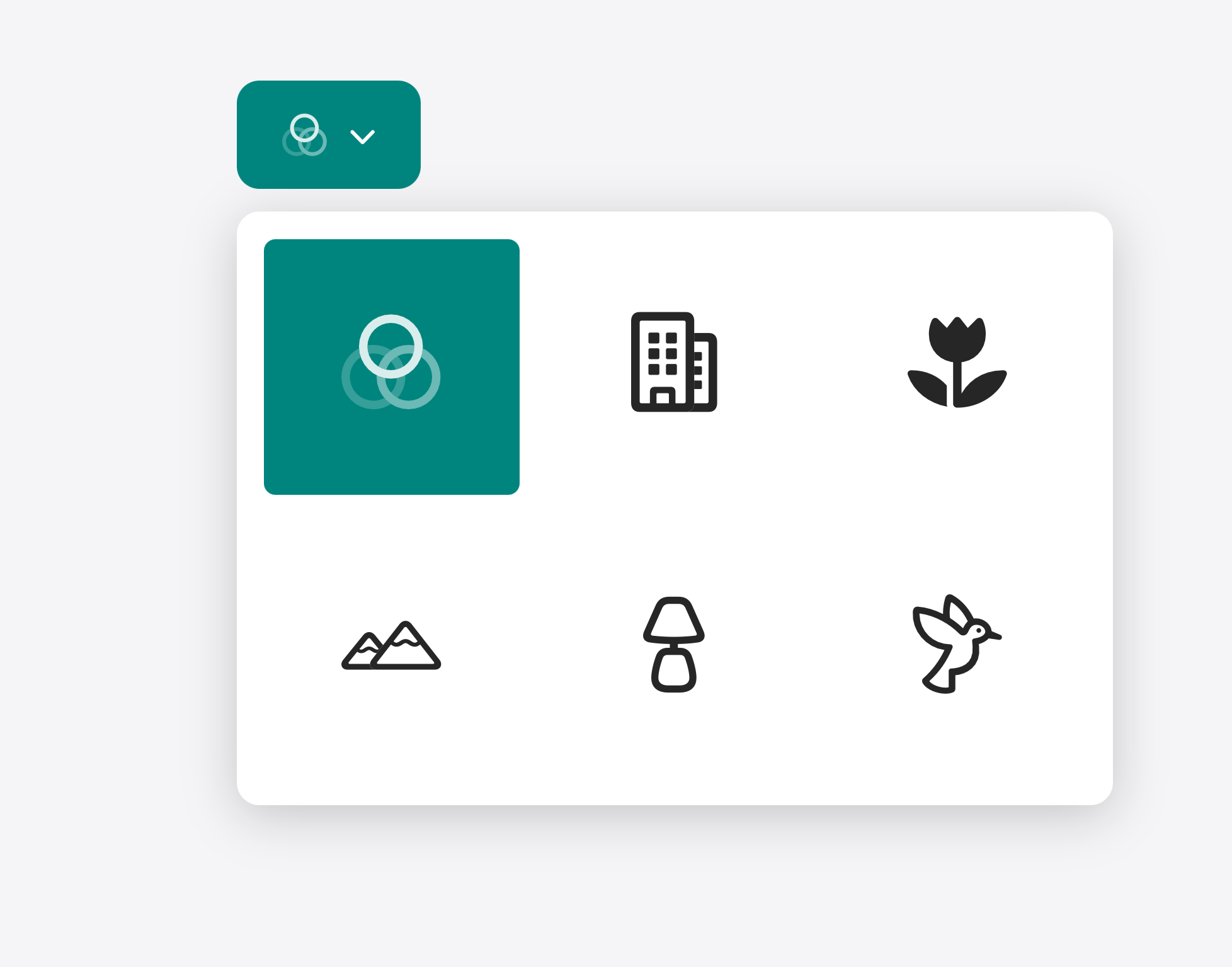
Take this category filter from a photographer’s gallery site. The version below uses icons alone — a building, a flower, a hummingbird — to represent each category:
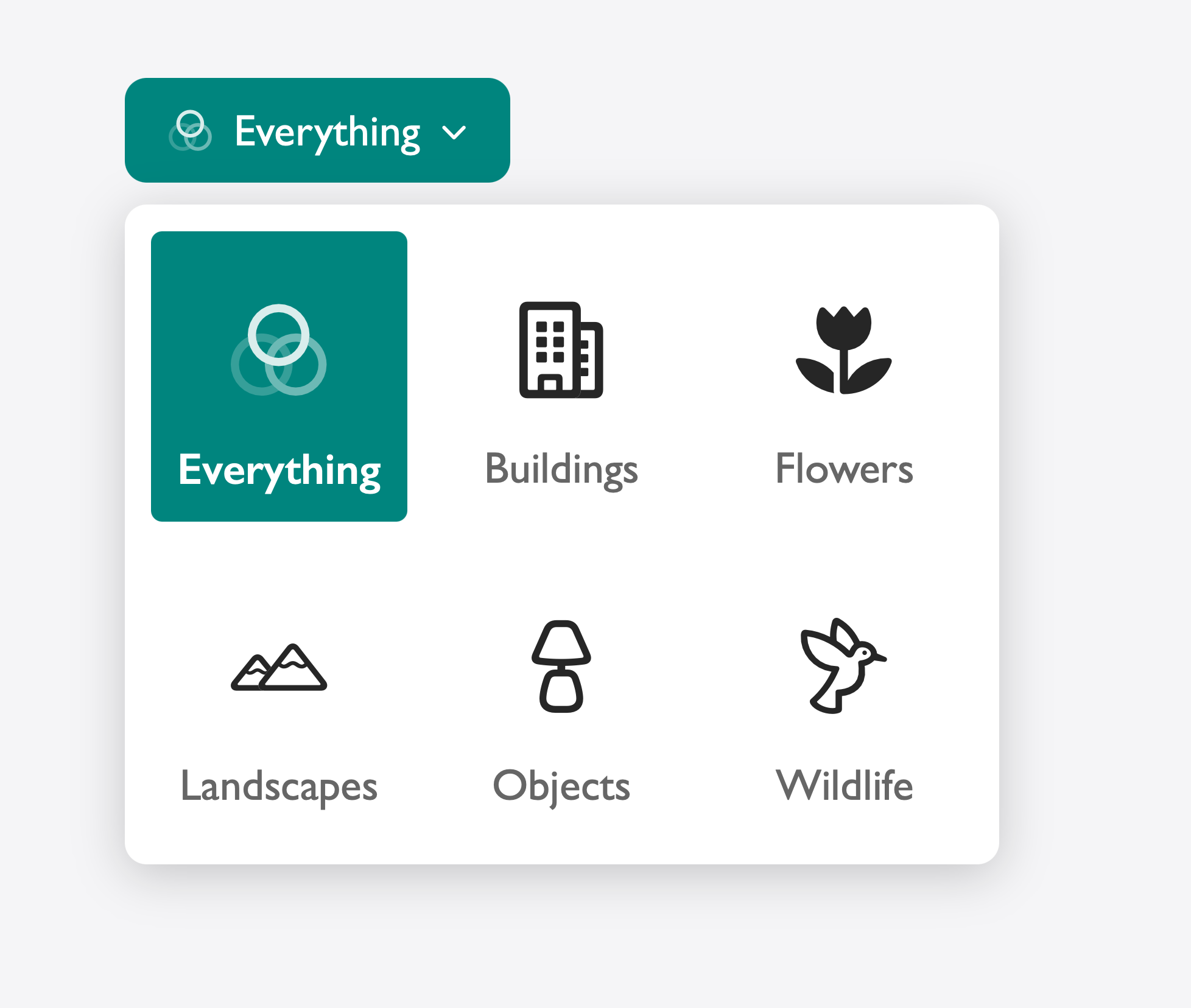
It looks clean. But a user who doesn’t immediately recognize what the hummingbird icon represents has no fallback. The closed select shows only an icon in the button, with no other hint of what’s currently selected. Add a text label to each option and the experience becomes immediately scannable. The selected state is readable at a glance, and every option is unambiguous:
The icons are still there. The labels make it readily decipherable for everyone.
Better accessibility
When a screen reader encounters an option with no text, the user may not hear a descriptive label for each option. Braille rendering and other assistive technology output may also be confusing. Text, even when hidden visually with a .visually-hidden class, stays in the accessibility tree and gives screen readers, braille displays, and speech recognition software something real to work with. If you use an icon as an <img>, add an alt or aria-label — or mark it decorative using alt="" and let the visible or visually-hidden label carry the meaning.
The problem you solve isn’t just a compliance checkbox: it’s the difference between a visitor completing your form and someone abandoning it.
Better progressive enhancement
Customizable select is a new feature. Browsers that don’t yet support it fall back to the platform-native <select> — which is exactly the right behavior, as long as your options still make sense in that fallback state.
If you’ve removed text in favor of icons or swatches, a user on an older browser sees a dropdown full of empty options. The same is true when CSS fails to load at all: a slow connection, a corporate proxy stripping stylesheets, a user with custom styles enabled. Wrap your enhancements in @supports (appearance: base-select) and keep plain text as your baseline. Adding a swatch is an enhancement. Removing the color name to make room for it is a regression.
The rule for maximizing the power and utility of customizable select is simple: keep the text. You can hide it visually. You can make it tiny. You can position it off-screen. But it needs to be there. Icons, swatches, and illustrations are additions to an option — never substitutes for it. Follow that rule and the rest of customizable select is yours to play with.
Feedback
We love hearing from you. To share your thoughts, find our web evangelists online: Saron Yitbarek on BlueSky, Jen Simmons on Bluesky / Mastodon, and Jon Davis on Bluesky / Mastodon. You can follow WebKit on LinkedIn. If you run into any issues, we welcome your feedback on Safari UI (learn more about filing Feedback), or your WebKit bug report about web technologies or Web Inspector. If you run into a website that isn’t working as expected, please file a report at webcompat.com. Filing issues really does make a difference.
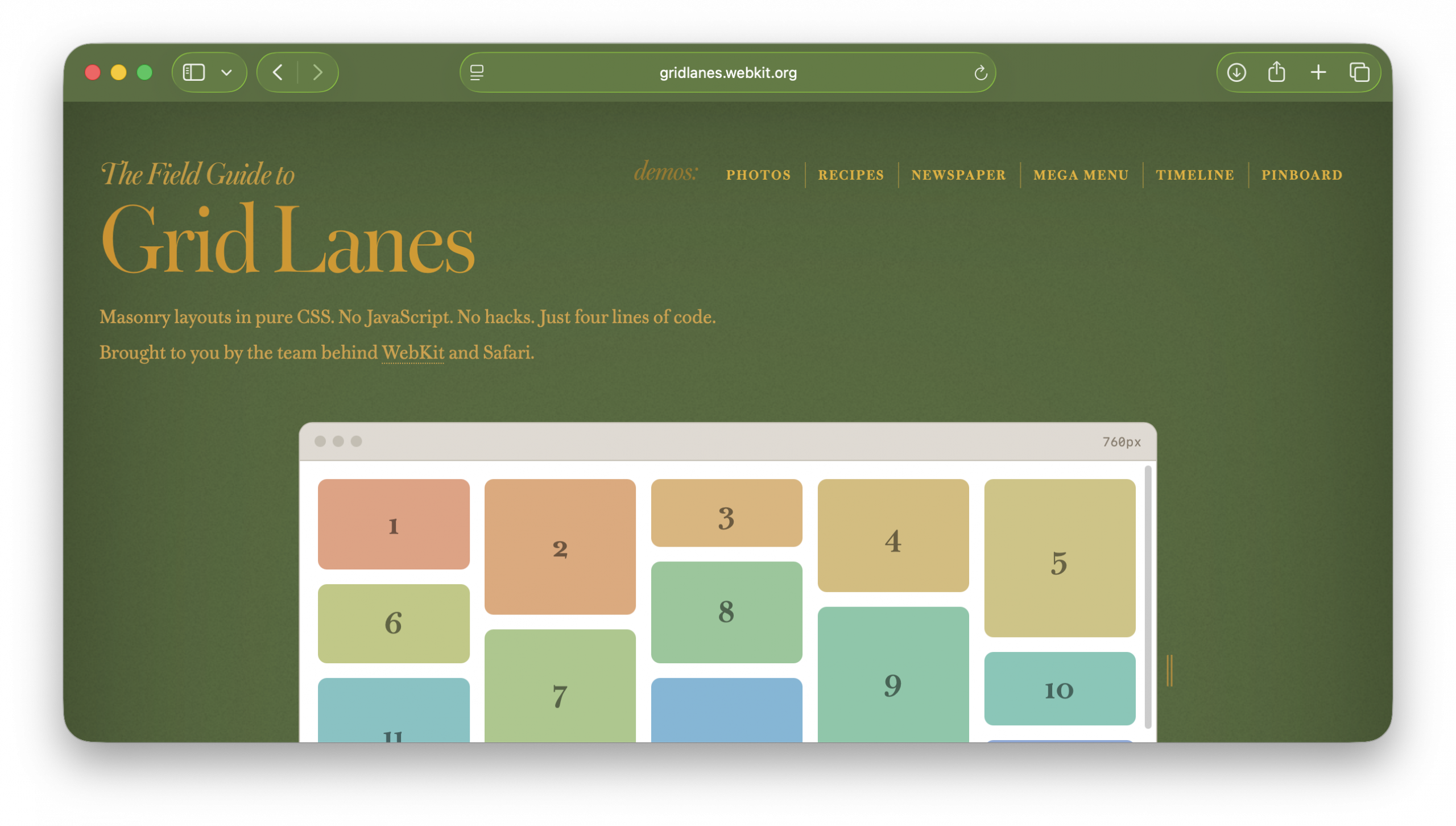
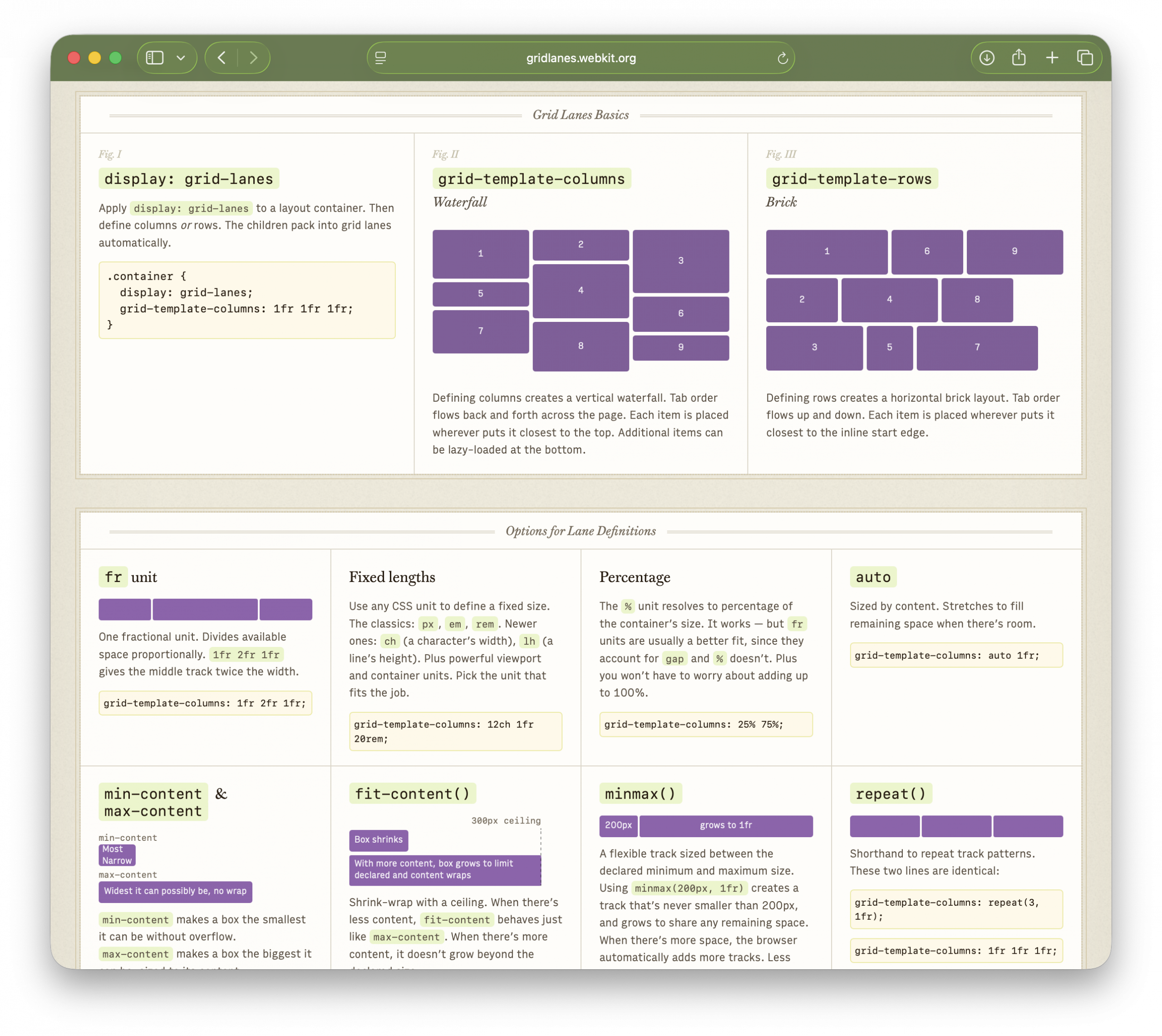
If you ever bookmarked the CSS Tricks Complete Guide to Flexbox, HTML5 Rocks, or CSS Zen Garden, a guide like this might feel familiar. It’s designed to be an easy introduction, a reference guide — and just plain fun.
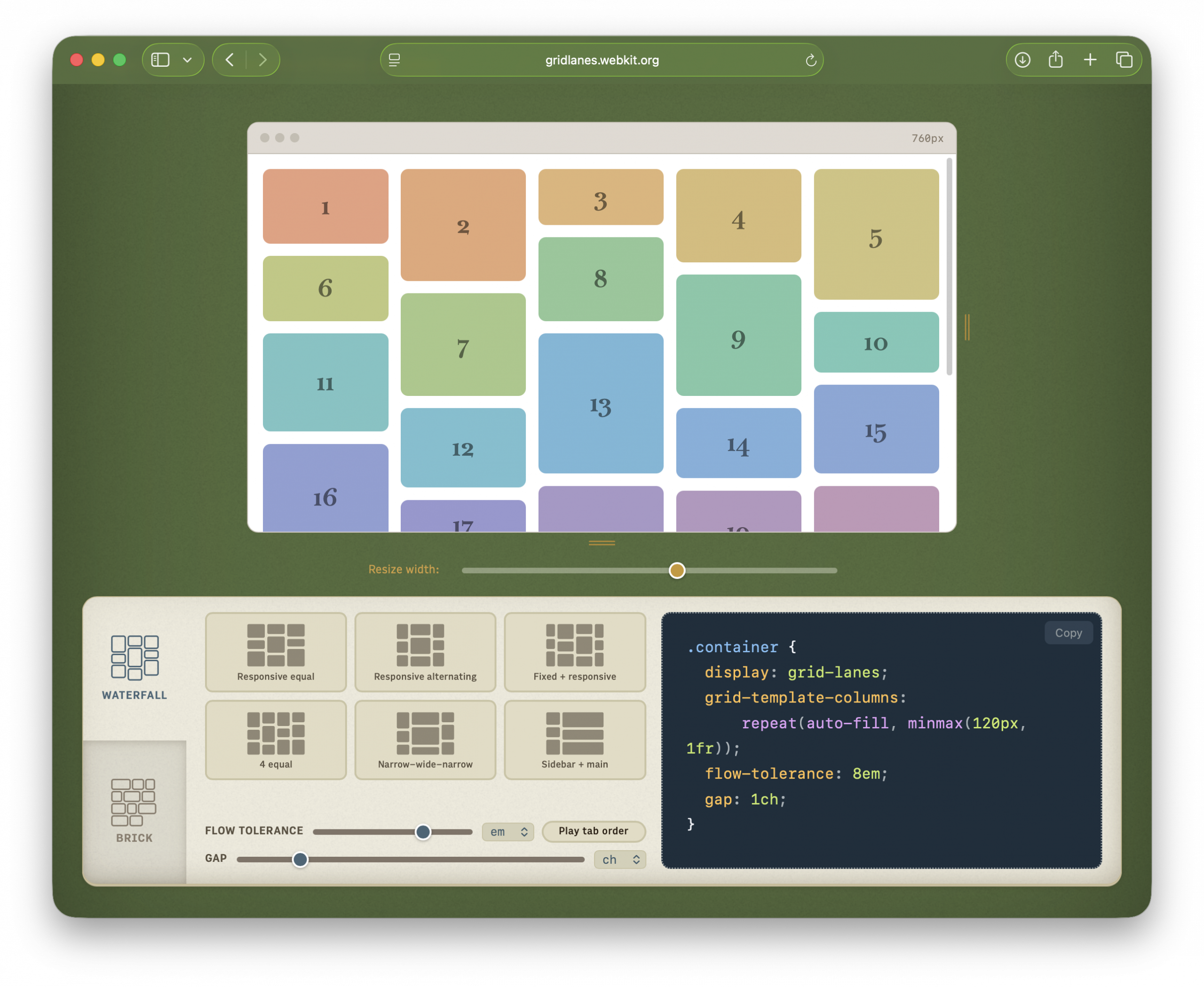
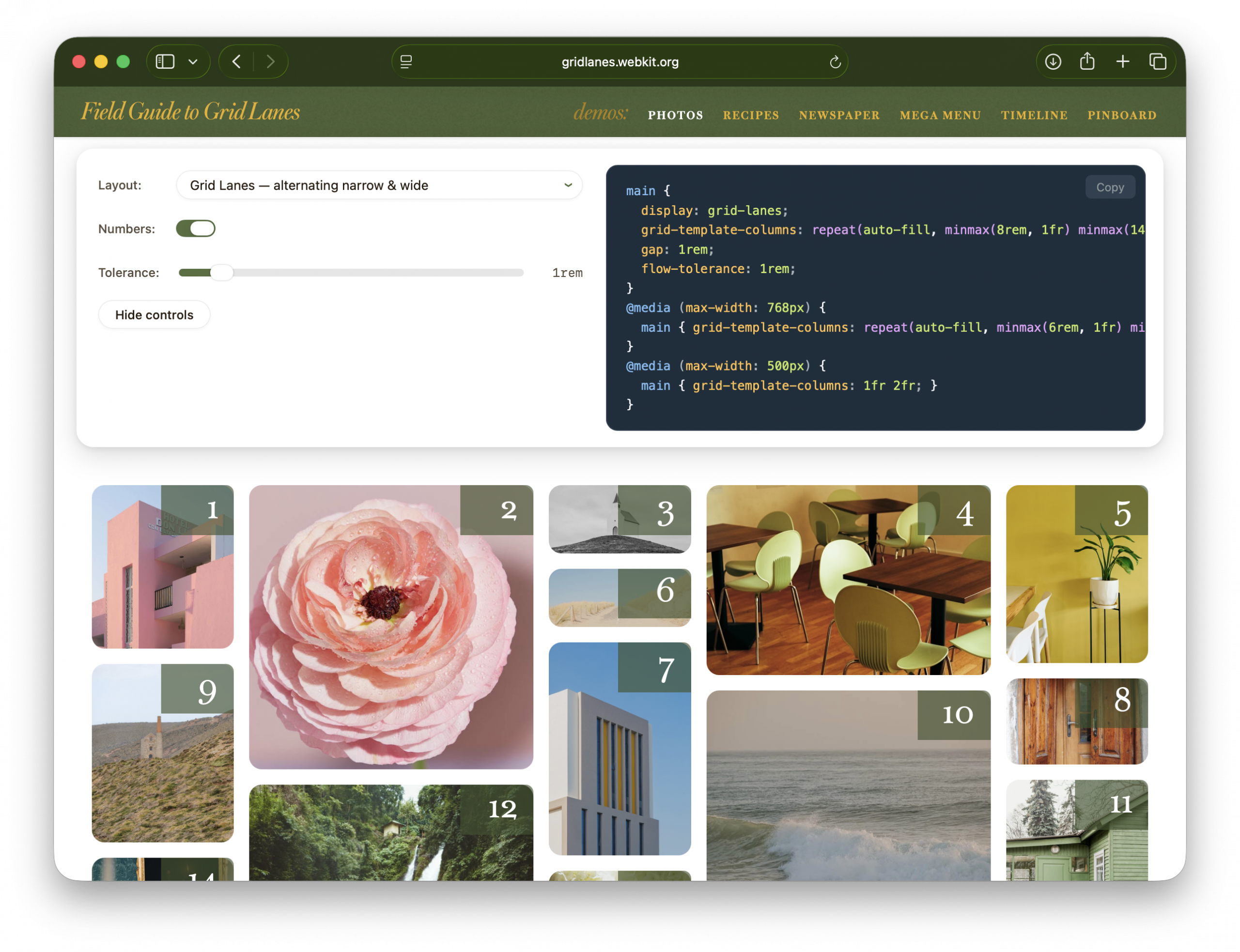
The interactive playground
At the top is a live, editable Grid Lanes layout. Switch between Waterfall and Brick. Try preset layouts. Drag the slider labeled “Flow tolerance” and click “Play tab order” to understand the impact of flow-tolerance.
Resize the demo browser window to test responsive behavior without resizing your whole window. Edit the CSS directly. Copy the code you create.
The cheat sheet
Next is the Field Guide itself — a single-page reference for every property, value, and option.
It has four sections:
Grid Lanes Basics — display: grid-lanes, plus the difference between waterfall and brick layouts
Options for Lane Definitions — Grid track-sizing with fr units, fixed lengths, percentages, auto, min-content & max-content, fit-content(), minmax(), repeat(), and auto-fill vs auto-fit
Options for Placement & Spacing — flow-tolerance, gap, spanning tracks, and explicit placement
Good to Know — info about source order, progressive enhancement, and switching layouts at different breakpoints
The demos
To showcase the possibilities of Grid Lanes, we created six demos, each available in several variations:
Photos — just images, in a variety of aspect ratios
Recipes — components containing both flexible images and varying lengths of text
Newspaper — longer passages of text, with a few images (and a lot of CSS puns)
Mega Menu — lists of very short text
Timeline — text in brick layout
Pinboard — mixed media
Each demo opens with a floating control panel.
“Layout” offers a dropdown of variations — showing off what Grid Lanes can do, and comparing it to Flexbox, Multicolumn, and Grid. “Numbers” shows item order. “Flow tolerance” lets you experiment with its effects. The code panel displays the key layout CSS.
“Hide controls” puts the focus on the demo itself. To get the controls back, click the gear that appears in the lower-right corner.
Working with Safari’s developer tools
Web Inspector knows about Grid Lanes, too. Toggle “Order Numbers” to reveal overlays marking the DOM order of items. These numbers are extremely useful when experimenting to find the best flow-tolerance value for your content.
The Field Guide was built by the same team behind Grid Lanes. We hope this is a fun experience that makes Grid Lanes easy to learn. Bookmark it, share it with colleagues, and let us know what you make.
MapKit JS allows you to bring the power and simplicity of Apple Maps to your website or web app. Whether you’re building a store locator, a travel planner, or a companion web experience for a native app, MapKit JS offers you a robust, privacy-first framework, providing the mapping data, services, and design quality behind Apple Maps, directly to your JavaScript code.
If you haven’t tried MapKit JS lately, now is a great time to take another look. With our latest version 6 release, we’ve made it easier than ever for you to integrate MapKit JS into your apps and websites by modernizing around today’s web development patterns.
See It in Action
Getting a MapKit JS map onto a page takes a few lines of code. In this post, we’ll guide you, step-by -step, through how to build a sample app — Yosemite Explorer — featuring points of interest across Yosemite National Park in California. Explore the demo.
Try it yourself
Apple Developer Account
To display a map, provide a developer token to MapKit JS. You generate that token through an Apple Developer account — and that same account unlocks a lot more than just maps. With an Apple Developer account, you get access to Apple’s full suite of developer services: publish Safari Web Extensions, and use powerful web frameworks like MusicKit JS for Apple Music integration, CloudKit JS for iCloud-backed data storage, and more. Sign up for an Apple Developer account.
MapKit JS 6 makes token setup significantly simpler. You can now use a static token bound to your website’s domain, generated directly from the Apple Developer website — no private key management or self-signing required. For details, see Creating a Maps token.
Load the Framework
New in v6, the MapKit JS loader ships as an NPM package, so the framework integrates directly into modern build pipelines. If you are looking to build a quick prototype or load MapKit JS directly in HTML, you can also skip to [Loading the MapKit JS script in your browser] below.
Load with MapKit JS Loader
To get our Yosemite map running, the next step is to install the package:
npm install @apple/mapkit-loader
Now you can load the framework with the token you generated in the previous step:
Let’s reload the page. The console.log() output should appear in Web Inspector:
MapKit JS partitions its features into libraries, so you load only what you need. Set the libraries array to the minimal set for the best performance. When you load MapKit JS through MapKit JS Loader, it automatically sources full TypeScript support through DefinitelyTyped into your project. Find a list of available libraries in developer documentation for MapKit JS.
Alternative: Load the MapKit JS script in HTML
For quick prototyping or web apps without a build pipeline, you can load and initialize MapKit JS with a <script> tag:
When the script loads, it invokes window.initMapKit — a callback you define — after which the mapkit namespace is available under window.
Create a Map
You create a map by passing the ID of a container element and a region. For our example, we center the map view on Yosemite Valley and set the camera high enough to cover the whole valley.
First, in HTML, define a sized container for the map view:
You can add custom annotations or overlays to the interactive map view. In this example, we’ll showcase places in Yosemite National Park with PlaceAnnotation — an annotation that automatically picks up the place’s title, coordinate, and iconography from Apple’s data.
Each place in Apple Maps is referenced by a Place ID, an opaque string that represents a point of interest rather than a specific coordinate or address. You can find Place IDs with the Place ID Lookup tool or the Search service. New in v6, PlaceLookup returns a promise, so you can pass a Place ID, await the result, and create the annotation in a single flow:
The code snippet above adds a PlaceAnnotation to the map and populates the same place on a list. The list draws the place name using the annotation.title property:
The snippet also sets a selectionAccessory option to a PlaceSelectionAccessory instance. When the user selects a marker, selection accessory displays detailed information of that place, like contact information or operating hours.
Repeat the place lookup to populate the app with all places.
Respond to Interactions
We want to present the user interface in a consistent state. New in v6, MapKit JS uses the standard browser EventTarget model, so handling map events works like handling any other DOM event. When the user selects an annotation on the map, you can update the corresponding list item:
Likewise, when the user selects a list item, select the corresponding annotation on the map. Since each list item holds a reference to the annotation instance, set its selected property to true:
This creates a two-way binding so the list and the map feel connected when either is interacted with. With that, we completed our app:
The same addEventListener pattern applies to annotation selections, map region changes, and every other MapKit JS interaction. See Handling map events to learn about all available event types.
Apple Maps, Built for the Web
In walking through the Yosemite Explorer example, you’ve seen several v6 changes working together. Installing MapKit JS as an npm package makes getting started more straightforward. Handling annotation selection with addEventListener puts the standard browser EventTarget model to work — one that v6 adopts consistently across the API. Using await for place lookups uses native promises throughout. And the authentication token you configured at the start is scoped to specific capabilities, giving you fine-grained control over access. Together, these changes make bringing the power of Apple Maps to your website a natural part of your development process.
Next Steps
Explore the MapKit JS documentation to dive deeper into the API. If you are using an earlier version of MapKit JS, check out the migration guide. Try the code samples in your own project, and share feedback through Feedback Assistant.
Safari Technology Preview Release 245 is now available for download for macOS Tahoe and macOS Sequoia. If you already have Safari Technology Preview installed, you can update it in System Settings under General → Software Update.
Fixed VoiceOver’s “Skip redundant labels” setting not being respected on certain web pages. (312967@main) (176297111)
CSS
New Features
Added support for the case-sensitive modifier s in CSS attribute selectors. (313234@main) (126331481)
Added support for the :host:has() compound selector in CSS. (313350@main) (139799278)
Resolved Issues
Fixed aspect-ratio not being respected on flex children when the flex container has position: absolute. (313213@main) (117807518)
Fixed aspect-ratio not working correctly on flex children that also have overflow set. (313170@main) (118926827)
Fixed image aspect-ratio not being preserved when width: 100% and height: 100% are set but no ancestor has a defined width. (313003@main) (162373271)
Fixed transferred min/max block-size constraints not being applied for intrinsic keyword widths on replaced elements. (313091@main) (173128588)
Fixed serialization of multi-word font family names that were always incorrectly quoted due to treating the full string as a single identifier. (313271@main) (175522811)
Fixed CSSStyleDeclaration.setProperty() failing to apply !important priority to an existing inline style property when the value was an integer of 255 or lower. (313159@main) (176099619)
Fixed an issue where elements using stretch sizing inside anonymous block wrappers resolved to their intrinsic size instead of stretching to fill the available space. (313359@main) (176398251)
Fixed -webkit-perspective not establishing a containing block for fixed-positioned descendants. (313020@main) (176729670)
Fixed nested multi-column layouts with three or more levels failing to paginate content across pages. (312973@main) (176741498)
Fixed :has() selector performance by using scope selectors to limit style invalidation traversal for class, attribute, and pseudo-class changes. (313009@main) (176771971)
Fixed non-replaced blocks with aspect-ratio and a percentage max-width collapsing to zero width during intrinsic sizing. (313074@main) (176873776)
Fixed percentage max-width on elements with aspect-ratio resolving against the wrong axis in perpendicular writing modes. (313078@main) (176879597)
Fixed z-index not applying to statically-positioned display: -webkit-box items to align with Firefox and Chrome behavior. (313081@main) (176886461)
Fixed flex containers using box-sizing: border-box providing the wrong cross size to stretched flex items. (313175@main) (176989934)
Fixed flex containers with aspect-ratio-derived height not providing a definite cross size to their flex items. (313256@main) (177085129)
Fixed SVG images with no intrinsic dimensions collapsing to zero height inside column flex containers. (313257@main) (177086497)
Editing
Resolved Issues
Fixed a regression where Vietnamese and Korean keyboard input methods incorrectly exited modeless composition mode, requiring a double spacebar press to complete each word. (313286@main) (176847897)
Fixed a recent regression that “Zhuyin – Traditional” input method stalling for multiple seconds when composing Chinese text. (313336@main) (177042301)
HTML
Resolved Issues
Fixed a severe performance regression causing dynamic insertion of <img> elements with a src attribute to be dramatically slower than other browsers. (313268@main) (166201075)
Fixed nested calls to requestClose() incorrectly firing multiple cancel events and causing a stack overflow. (313239@main) (174850509)
Fixed requestClose() incorrectly removing the open attribute when called on a disconnected dialog element. (313251@main) (174855725)
Fixed <a rel="ar"> elements wrapping <model> elements to correctly enter ARQL without extra steps and to display the AR badge. (313047@main) (176410897)
Fixed the HTML preload scanner not preloading resources referenced by legacy <image> tags. (312984@main) (176712749)
Images
Resolved Issues
Fixed rendering performance of HDR images that have gain-maps by using GPU-backed surfaces. (313339@main) (176605566)
JavaScript
New Features
Added support for static import defer semantics. (313139@main) (176568369)
Resolved Issues
Fixed the ArrayToPrimitive fast path incorrectly ignoring overrides of Object.prototype.valueOf. (313028@main) (175122250)
Fixed input position corruption in regular expression backward matching when rewinding over a surrogate pair. (313026@main) (175122467)
MathML
New Features
Added support for operator dictionary entries for multi-character operators to align with the MathML Core specification. (313083@main) (176543727)
Resolved Issues
Fixed the MathML operator dictionary to correct the stretchy property for several operators, resolving Web Platform Test failures. (312993@main) (170901728)
Fixed spacing values for prefix operators +, −, ±, ∓, ∇, and infix operator ⋉ in the MathML Core operator dictionary. (312999@main) (176652211)
Fixed the operator dictionary entry for the ∂ prefix operator to use the correct spacing values (3, 0) instead of (2, 1). (312997@main) (176693587)
Fixed nonce-hiding support for MathML elements to align with the HTML specification. (313075@main) (176875058)
Media
Resolved Issues
Fixed timeupdate events being fired during seeking before the seek operation completes. (313165@main) (176861767)
Fixed the ended event not always firing when the MediaSource duration is changed to match the current playback position. (313141@main) (176863546)
Fixed a MediaSource issue where the decode-key cleanup in coded frame processing was incorrectly removing non-orphaned samples. (313296@main) (176971800)
Fixed currentTime() returning a stale value after the playback rate was changed from zero to a non-zero value. (313249@main) (177046564)
Rendering
Resolved Issues
Fixed an issue where a child element with filter: blur() ignored border-radius overflow clipping from its parent. (312531@main) (175519148)
Fixed drop-shadow filters and transform: translate() incorrectly clipping nested elements after a regression. (313316@main) (175905543)
Fixed a repaint issue where table rows did not repaint their previous position after a preceding row changed size, causing content to appear at both the old and new locations. (313168@main) (176172404)
SVG
Resolved Issues
Fixed negative stroke-dashoffset values rendering with incorrect offsets when stroke-dasharray has an odd number of values. (313353@main) (103596361)
Fixed an issue where @prefers-color-scheme in an SVG image will sometimes not follow the system color appearance. (313021@main) (176413340)
Fixed getScreenCTM() returning an incorrect matrix when the document is scrolled under a CSS-transformed ancestor. (313111@main) (176814876)
Web API
Resolved Issues
Fixed missing custom element callbacks for the role attribute. (312976@main) (176713992)
Fixed incorrect URL parser invocation on the Notification object. (312988@main) (176762955)
Fixed requestAnimationFrame() not providing sub-millisecond timestamp precision in cross-origin isolated contexts. (313153@main) (176967366)
Added unique colors for style events such as “Style Invalidated” and “Style Recalculated” in the Timeline view to distinguish them from layout events. (312995@main) (176770197)
WebGPU
Resolved Issues
Fixed a WGSL shader validation failure in binary arithmetic expressions. (313135@main) (176473479)
WebRTC
Resolved Issues
Fixed outgoing video feeds freezing when the Safari window is obscured by another window while a virtual background is active. (312990@main) (170720729)
Fixed screen sharing via getDisplayMedia() starting at extremely low quality and taking up to 30 seconds to become legible for remote participants. (313072@main) (175425085)
Update on what happened in WebKit in the week from June 1 to June 8.
Another great week, this time we have a performance improvement implemented
in the Skia-based compositor, an excellent writeup about how to investigate
and isolate memory leaks in WPE WebKit, a couple of multimedia fixes, and a
variety of improvements and fixes across WebKit ports.
Implement node iterator and live range pre-remove steps for in-progress moveBefore() implementation.
Fix an early return in CloseWatcher close to align with the spec.
The Web Inspector now shows DOM nodes associated with layout and rendering events in a separate column of layout timeline next to initiator, sizing, and timing information. Hovering over rows in the details table highlights the associated node, and clicking it reveals the node in the "Elements" tab. This makes it easier to match events with specific nodes and helps debugging changes to a web page.
Fix popover light dismiss to account for disabled command buttons.
Multimedia 🎥
GStreamer-based multimedia support for WebKit, including (but not limited to) playback, capture, WebAudio, WebCodecs, and WebRTC.
FixmediaTime provided with requestVideoFrameCallback in case of captureCanvas as source.
Batched painting support was implemented in the Skia-based compositor, improving the performance in several cases.
Community & Events 🤝
Pawel Lampe published a blog post where he's presenting and discussing a guide on structured approach to narrowing down and debugging memory leaks within WPE WebKit.
Update on what happened in WebKit in the week from May 19 to June 1.
The main feature of this week are new releases: stable ones with many security
fixes, and development ones with the new Skia-based compositor enabled. Additionally,
there was work on Web-facing features, optimizations, spell checking support for
the WPE port, and more.
Cross-Port 🐱
WebKit now supports mirroring
MathML stretchy operators using the OpenType rtlm feature.
Replaced the CloseWatcherManager's
escapeKeyHandler, which will allow other types of close signals to be supported.
Implemented queuing mutation observer
records in the work-in-progress moveBefore() implementation.
Implemented popover integration with
close watcher.
Fixed popover light dismiss to
account for popovertarget on input buttons.
Content filters now create temporary files in the compiled filters
directory, which ensures that a file
rename can always be used to place them at their final location. This avoids
falling back to a regular file copy, which can be slower, when the temporary
directory returned by g_get_tmp_dir() (typically /tmp) is in a different
volume than the filters' storage path configured for
WebKitUserContentFilterStore.
WPE WebKit 📟
Enabled spell checking support in
WPE. The existing implementation for
the WebKitGTK port, which uses the
Enchant library as a backend, was
generalized to provide spell checking support in WPE as well. The feature may
be toggled at build time using the ENABLE_SPELLCHECK CMake option.
Releases 📦️
WebKitGTK
2.52.4 and
WPE WebKit 2.52.4 have
been released; they include a number of fixes for security issues, and it is a
highly recommended update. The corresponding security advisory, WSA-2026-0003
(GTK,
WPE is available as well.
The release also includes a number of small improvements and Web compatibility
fixes.
Additionally, development releases WebKitGTK
2.53.3 and
WPE WebKit 2.53.3 are
available since last week. These include a change to use a new Skia-based
compositor by default, which is intended to replace TextureMapper once ready.
Therefore, bug reports related to website rendering
are particularly welcome when using this and subsequent development releases.
Infrastructure 🏗️
The deprecated and un-maintained Flatpak-based SDK was
removed. Developers working on
the WPE and GTK WebKit ports are encouraged to migrate to the new
SDK.
Depending on the web application, the WPE WebKit memory usage trend can vary. When simple web applications are being processed, the memory consumption tends to be virtually stable (the same) no matter the period. However, when more complicated web applications
are being executed, the memory usage usually grows over time while going back to normal from time to time e.g., when GC / memory pressure mechanism releases all kinds of caches and not-needed memory. Therefore, memory growth itself is not unusual.
Nevertheless, as the memory leaks happen in WPE at times, the memory growth is worth investigating — especially if very rapid or unbounded.
This article presents a structured playbook for investigating such a memory growth and memory leaks in WPE. Rather than diving straight into debugging tools, it starts from first principles: confirming the problem is real, choosing the right
environment to work in, and narrowing down the leaking area before any heavy tooling is involved. The goal is to reach actual debugging as fast as possible, regardless of whether the environment is an embedded device or a desktop machine,
and regardless of how quickly the problem reproduces.
The high-level list of recommended steps to follow is presented below. In a nutshell, the steps 1, 2, and 3 are meant to choose and follow the fastest possible investigation path so that actual debugging of the problem
(step 4) can be started as soon as possible.
The ultimate first step when working with alleged memory leak is to check whether the observed memory growth is actually abnormal. In the case of web browsers in general, the memory growth alone may not necessarily mean something is leaking.
There may be many regular reasons why the browser’s memory usage is growing, but the usual suspects are:
JavaScript-level memory allocations — due to the very nature of JavaScript, the memory it allocates causes the overall web content process memory growth up until the garbage collector (GC) kicks in. Then (from the RSS perspective) some memory
is usually freed. However, as it’s not easy to predict when the GC will be invoked (e.g., when the browser processes an application that performs heavy rendering), it’s possible that memory will grow but remain garbage-collectible.
JavaScript Just-in-Time (JIT) compilation — when not explicitly disabled or limited, the processing of any web application that has JavaScript code associated with it will cause the browser to continuously compile the JavaScript code in the
background so that it executes such code faster in runtime at the expense of memory that is required for storing compiled artifacts.
Caches — as the WPE operates, it caches things such as web resources, style resolution artifacts, textures, glyph atlases, layer tiles, display lists, rasterization artifacts, and many others. Naturally, the cache sizes are limited, however,
if many caches are growing at the same time, they may create an impression of a leak. The difference in that case is, the caches stop growing at some point.
Due to the above, to confirm the memory growth is abnormal, one should usually try the following first:
Triggering memory pressure to force the browser to trigger GC and evict as many cache entries as possible,
If the memory growth doesn’t stop with JIT disabled or its level does not go back to normal after triggering memory pressure, the growth can be assumed to be abnormal, and one can proceed to the next step.
2. Identifying the best setup for reproducing the problem #
When the memory growth is atypical, it needs to be narrowed down in a way that the final debugging is possible. For both narrowing down and the debugging, one should aim at the most flexible development environment along with the smallest possible
web application that reproduces the problem quickly. What it means in practice is — desktop environment along with small demo web application that reproduces the problem. Whilst it’s not always possible to have such an environment, the 3 general
rules are as follows:
Desktop environment is usually better than embedded one in terms of working with memory leaks as it offers minimal overhead (e.g., in terms of compilation times) and huge flexibility in choosing the industry standard tools for profiling/debugging.
Small web application is always better than a big one as long as it still reproduces the same problem in the same amount of time. In such case, a small application minimizes the amount of noise that usually stands in the way of profiling/debugging.
A web application that reproduces the problem quickly is always better than the one that needs much more time for it. The worst thing that can happen in the case of narrowing down memory leaks, is when the memory growth is noticeable or starts
after a very long time such as hours/days+.
Given the above, at this point one should go through the below steps:
Check if the setup is trivial enough already — if the web application reproduces the problem quickly in a desktop environment and is simple enough, one should immediately jump to the Debugging section.
Check if the problem can be reproduced on desktop assuming it originally reproduces on embedded.
Check if the problem can be reproduced faster if it’s not reproducing fast enough.
Check if the web application could be simplified.
Once the setup is simplified as much as possible, one should proceed to one of narrowing down sections depending on the setup. Also, if the setup is still not ideal, one should actively seek opportunities for simplifying the setup
even during narrowing down as it’s likely that some new information will eventually open new possibilities in terms of simplifying setup.
When the problem has been confirmed but there are not enough clues to tell exactly which parts leak, the debugging cannot be started right away. In such case, it’s necessary to narrow down the problem to the browser/application area
that can be easily debugged.
While in some cases narrowing down is not even necessary, quite often it takes orders of magnitude more time than actual debugging, and hence one should pay special attention to this step.
3a. Narrowing down on embedded when the problem takes a long time to reproduce #
This is the toughest situation one can find themselves in. When a problem takes a long time to reproduce (hours/days+), every iteration/test comes automatically with a significant cost. Moreover, when the environment is an embedded one,
rebuilding WPE is usually more time-consuming and the amount of tooling is usually limited — or requires some work to bring it to the image at least.
Due to the above, narrowing down the problem in this setup requires a structured approach with extra care. In such case, the things to check should be approached in steps defined as follows:
in case of embedded devices, extra care is needed when attaching a memory profiler. On low-end devices, memory profilers tend to slow down the application hard enough to trigger otherwise non-existent problems.
in case of embedded devices, one should prefer limiting JIT over disabling it as without it, the JS execution may be slow enough to trigger unexpected scenarios.
Ideally, while checking various things along the above steps, one should batch as many checks as possible within individual tests.
3b. Narrowing down on embedded when the problem reproduces quickly #
When the problem reproduces quickly, the limitations of embedded environment are not that relevant. In this scenario, one should prioritize getting debug symbols (RelWithDebInfo build) into the image and utilizing them by running
the browser with whatever profilers are available. For the specific things to check, one should seek inspiration in the following groups:
However, this time, there are some extra opportunities around tooling:
There should be many more tools available already in the system or available to be installed.
Tools such as memory profilers that could slow down the application making it unusable on embedded, may turn out to be working well when the desktop-class processing power is available.
With the above in mind, it’s worth trying all the tools available with priority because if at least one tool works well, one can save hours of narrowing down.
3d. Narrowing down on desktop when the problem reproduces quickly #
This is technically the simplest possible scenario, so basically, all the possibilities are available. The most time-consuming activity in this case is very likely rebuilding WebKit itself — although it should still be relatively fast.
In such case, just after a few quick checks with the Web Inspector, it’s recommended to get debug symbols (RelWithDebInfo build) and start with tools such as memory profilers.
Other than the above, one should go through the following groups on things to check:
Debugging WPE WebKit is the same as debugging any other C/C++ application on Linux (or Mac if the issue is cross-port and one prefers an Apple port to work with), and hence is outside the scope of this article. Some WebKit-specific information
can be found in the WebKit Documentation article on building and debugging page and therefore is recommended as a first step.
When the problem lies in JavaScript code, the situation is usually fairly straightforward. The majority of bugs in this area should be reproducible across various browser engines and hence a full variety of tooling should be available.
If the WebKit is preferred or if the problem reproduces only there, the tooling available is still very useful and helps debugging problems quickly. The ultimate tool in such case is the
Web Inspector. On official WebKit’s web page there’s entire index of articles on Web Inspector. Among those, the most interesting
read is about Timelines Tab where the most useful debugging can be done. Once the features of Timelines Tab are understood, the next important article is
the memory debugging guide. It dives into the most important Timelines Tab subsections and showcases the work with heap snapshots which is a key. To supplement it,
it’s very important to know the heap snapshot delta feature which is basically about button:
that allows one to inspect the delta-snapshot between 2 snapshots. It’s critical as it answers the question on what JS objects were added between the base snapshot and the later one. If some objects are piling up, it immediately shows
which ones.
One important note on snapshots is that in some cases when using Web Inspector is not possible, one can generate the snapshots manually from the web engine’s C++ code by just calling GarbageCollectionController::singleton().dumpHeap(); at
some appropriate moment. In this case, the dump will be written to standard output. It can be then turned into a file and imported from any Web Inspector using Import button.
As the Timelines Tab with its subsections should be able to answer on what happens, to understand why it actually happens, the last missing piece is the JS debugger within Web Inspector. It’s not very different to debuggers in
other engines, but it’s worth checking a dedicated article on it just to understand the capabilities.
Even if the WPE is running with default settings in release mode, there are plenty of useful things that can be checked while the browser is still running:
Identifying which WebKit process allocates abnormally,
there are multiple ways to do this, but usually it’s as easy as using ps utility.
Identifying how fast the process in question allocates the memory,
this is useful to know at least for comparison purposes, but it may hint some problems already if the numbers correlate with what web application does.
Checking logs from stdout, stderr, and journal (using journalctl).
in short, memory pressure triggers the cleanup of the majority of caches along with GC. Therefore, if this is able to bring memory back to normal level, then the problem is about caches, JS Heap / GC, or fragmentation.
even if the debug symbols are not present, this may be useful to see what data is being captured and how the web application behaves when slowed down by profiler.
even if the debug symbols are not present, various tools offer different perspectives on what the browser is doing. In some cases, such information may reveal some anomalies that may be related to the main issue.
Cross-checking with other browsers,
if other browsers show a similar pattern of memory usage, it’s very likely the problem lies in web application itself. Otherwise, it strongly suggests a bug in the WPE.
Cross-checking with other ports,
if any other WebKit port shows a similar pattern of memory usage, it allows one to narrow down the area in the code a bit based on what port it is:
if the same behavior is visible in any of Apple ports, the problem is most likely related to cross-platform code,
if the same behavior is visible only in GTK port, then the problem is most likely related to GLib-related part, coordinated graphics part, GStreamer-related part, or others that are shared.
while generic logs may hint some unusual behavior, more specific ones such as GC logs (JSC_logGC=1) may be used to check how the individual JS heap sizes evolve over time and how GC behaves. If it’s JavaScript
leaking the memory, this log will quickly provide the evidence.
both breakdown and trend of memory usage in the memory timeline after doing a bit of recording,
the effects of takeHeapSnapshot() invoked from JS console:
as this function usually triggers GC internally, it may be used to check how much RSS memory is reclaimed by GC in isolation (followed up by scavenger),
as this function takes a JS heap snapshot, it then can be used to explore manually if its contents point towards something interesting.
there are at least a few places (levels) where JIT compilation engine allocates memory. If limiting doesn’t resolve the issue completely, it’s likely the engine itself leaks some memory around temporary helper-heaps such as AssemblerData etc.
some environment variables and runtime preferences change the behavior of the web engine significantly. If changing one of them makes the problem go away, it usually helps to narrow down the problematic area quickly.
Running WPE with system malloc (environment variable Malloc=1) and checking the memory usage,
when one suspects bmalloc/libpas issues with fragmentation or scavenger, it’s worth running a browser with system malloc to compare the memory evolution over time against the bmalloc/libpas.
if triggering memory pressure is not possible, an alternative solution is to limit the device memory so that the browser is under constant memory pressure.
stack traces — to see what parts of engine are particularly active as it may hint some problematic area,
WebKit marks — to see what the engine is doing as well as quantitative data in marks such as EventLoopRun etc. as in those cases the numeric value trends may reveal resource pile up.
as WPE allows switching to system malloc as an allocator, it’s possible to use custom malloc implementation with instrumentation such as gperftools. For that, the recommended read is
this article from fellow Igalian, Pablo Saavedra.
the data produced by memory sampler is roughly the same as inspector’s memory timeline, however, it’s much more convenient as it doesn’t need web inspector at all.
when memory growth seems to be related to DOM mutations, it’s worth enabling and reporting node statistics periodically — in some cases, it may directly suggest what the problem is about.
Building and running with malloc heap breakdown,
when all other means fail, a very good last-resort approach for investigating memory usage statistics via a debug-only WebKit feature called Malloc Heap Breakdown. The details can be found in
the dedicated article about it.
On very rare occasions such as memory fragmentation or allocation issues, it may be worth checking the libpas (low-level memory allocation and management library)
statistics as WPE uses it by default on the vast majority of platforms.
As WPE WebKit uses multi-process architecture, there are multiple processes that can be checked, although the most interesting one is usually the Web Content Process. Once the PID of the given process is determined (e.g., using ps utility)
the usual steps to check detailed memory statistics are:
cat /proc/<PID>/status or cat /proc/<PID>/statm for very basic statistics,
pmap -X <PID> - for detailed statistics (if available),
cat /proc/<PID>/smaps_rollup and cat /proc/<PID>/smaps for detailed statistics (requires CONFIG_PROC_PAGE_MONITOR kernel configuration option).
WPE uses a so-called Memory Pressure Monitor to observe the memory usage in the system and to react if there’s not much memory left. The default thresholds are specified in MemoryPressureMonitor.cpp and usually are
90% for non-critical and 95% for critical response. Depending on the response, WPE schedules GC and clears internal caches immediately.
As the above is usually on by default, one can leverage it to trigger GC (along with cache cleanups) by filling up the available memory in the OS to 95+%. There are many ways to allocate memory, yet the simplest is using stress:
e.g. stress --vm 1 --vm-bytes 1024M --vm-keep to allocate 1024 MB.
When attaching any memory profiler, unless one wants to profile only native allocations (Skia, GStreamer, ICU, etc.), the key is to use Malloc=1 environment variable on WPE startup so that bmalloc uses system malloc instead of libpas.
Also, if WebKit is using a sanboxed mode in given configuration, it’s usually necessary to use WEBKIT_DISABLE_SANDBOX_THIS_IS_DANGEROUS=1 as well. Then the commands are as follows:
to attach heaptrack:
heaptrack -p <PID> so e.g. heaptrack -p $(pgrep WPEWebProcess) (see this article for details),
to run with valgrind’s massif (as attaching to running process is not possible):
valgrind --tool=massif --trace-children=yes <WPE-BROWSER-COMMAND> (see this article for details).
If memory profilers are unusable or unavailable, it’s worth checking if other tools are present and experimenting a bit with them if so. In some cases, tools other than memory profilers may give some hints on further investigation
or reveal a suspicious pattern within application execution. Some ideas for experiments with various tools are listed below:
strace:
strace -c -p $(pgrep WPEWebProcess) — strace called with -c gives a nice summary of system calls executed by the traced application. It can be useful to check the overall syscall usage pattern to see if there are any anomalies.
strace -p $(pgrep WPEWebProcess) -e trace=mmap,munmap,mremap,madvise -tt — strace focused on mmap()-related system calls may be useful to debug libpas.
perf:
perf record -F 999 -ag -p $(pgrep WPEWebProcess) -- sleep 60 — regular recording with perf can be very useful, especially if symbols are available. With that, one can generate
flamegraphs and investigate what’s going on in the browser. While it’s not about profiling memory, it may be helpful to narrow down at least a bit.
perf record -F 999 -e syscalls:sys_enter_mmap,syscalls:sys_enter_munmap,syscalls:sys_enter_mremap:sys_enter_madvise -ag -p $(pgrep WPEWebProcess) -- sleep 60 — perf focused on mmap()-related system calls is much more superior
than e.g. strace as it also records stack traces. Therefore, if debug symbols are present, and if the memory growth is very rapid, it’s very likely the libpas mmap() stacktraces will lead to the growth origin statistically.
perf trace -e mmap,munmap,mremap,madvise -p $(pgrep WPEWebProcess) — this is very much similar to strace focused on mmap()-related system calls as it shows a live preview of what’s happening.
sysprof:
sysprof-cli -f — while running system-wide sysprof won’t make WPE push marks into it, the profiling trace may still be useful to some degree, especially if debug symbols are available.
Limiting JIT can be achieved via environment variables:
JSC_jitMemoryReservationSize=<BYTES> to limit JIT memory usage (the limit is semi-strict as some JIT compilation engine buffers are limited by this value indirectly),
JSC_useFTLJIT=false to disable FTL tier,
JSC_useDFGJIT=false to disable DFG and FTL tiers,
JSC_useBaselineJIT=false to disable Baseline, DFG, and FTL tiers.
WPE is a fairly complex piece of software and hence it offers various logging capabilities related to WebKit itself, as well as to related libraries. The vast majority of logging can be controlled via environment variables:
WEBKIT_DEBUG=all to enable all logging channels,
WEBKIT_DEBUG=Layout,Media=debug,Events=debug to enable selected logging channels,
JSC_logGC=2 to enable JS garbage collector logs,
GST_DEBUG=4 to enable gstreamer (multimedia-related) logs (see the documentation),
G_MESSAGES_DEBUG=all to enable GLib-level logs.
If MiniBrowser (or similar browser) is used, one can also set a runtime preference to enable JS console.log(...) logging to the standard output:
Enabling WPE’s remote web inspector is a twofold process:
The first step is to run WPE with the proper environment variable so that it starts listening on IP:PORT using tcp socket:
WEBKIT_INSPECTOR_SERVER=IP:PORT is the most reasonable option as it uses inspector:// protocol that can be utilized by WebKit-native browsers such as GNOME Web (Epiphany) or Safari,
WEBKIT_INSPECTOR_HTTP_SERVER=IP:PORT is a less preferable alternative that uses HTTP protocol and technically works from any browser. However, no seamless integration is guaranteed in this case.
The second step is to connect from a regular web browser to the WPE:
using inspector://IP:PORT/ if native inspector server was started,
using http://IP:PORT/ if HTTP inspector server was started,
forwarding the ports using socat tcp-l:PORT,fork,reuseaddr tcp:IP:PORT if the WPE is running in unreachable network.
Experimenting with environment variables and runtime preferences #
The most outstanding environment variables changing the behavior of WPE are the following:
WPE_DISPLAY — assuming the new WPE platform API is used, this environment variable allows one to switch the pre-defined platform implementation thus
changing a platform-facing part of graphics pipeline. The valid options are:
WPE_DISPLAY=wpe-display-headless — for headless implementation,
WPE_DISPLAY=wpe-display-drm — for direct rendering manager integration,
WPE_DISPLAY=wpe-display-wayland — for wayland integration,
WEBKIT_SKIA_ENABLE_CPU_RENDERING — when set to 1, rendering the DOM contents to the layers is done using Skia CPU backend instead of GPU one.
The most outstanding runtime preferences changing the behavior of WPE are the following:
CanvasUsesAcceleratedDrawing — when disabled, 2D canvas will use Skia CPU backend instead of GPU one,
LayerBasedSVGEngine — when enabled, WPE uses a different SVG engine internally,
AcceleratedCompositing — when disabled, WPE uses experimental, non-composited mode that bypasses all of the compositor work.
On desktop, the simplest way to get release with debug symbols is to utilize CMake’s build type by using -DCMAKE_BUILD_TYPE=RelWithDebInfo within WPE build command, so:
and potentially INHIBIT_PACKAGE_STRIP to control whether debug symbols should be kept with the binary or not. This may be necessary occasionally as some tools have problems reading .gnu_debuglink and therefore work only
with symbols included in the binaries.
WebKit works pretty well with all kinds of sanitizers. To build with any of them a CMake-level helper called ENABLE_SANITIZERS can be used by specifying -DENABLE_SANITIZERS=address, -DENABLE_SANITIZERS=leak etc. With that, the command for
building e.g. on desktop could look like:
Libpas statistics are a debug-only feature that can be enabled by changing 0 of #define PAS_ENABLE_STATS 0 to 1 in Source/bmalloc/libpas/src/libpas/pas_config.h and then running WPE with environment variable PAS_STATS_ENABLE=1.
Update on what happened in WebKit in the week from May 11 to May 18.
For this week we have quite a collection of news! Ranging a variety of improvements
to dialog.requestClose(), rendering fixes, the new Skia-based compositor enabled by
default, and proper versioning and improvements to the WebKit Container SDK, there's
news for everyone.
Cross-Port 🐱
Update the closeWatcher.requestClose() function to no longer require user activation, aligning with the spec.
Implement actually moving the node in the DOM when moveBefore() is called.
Fix handling of nested calls to dialog.requestClose().
Add missing preliminary checks to dialog.requestClose().
Graphics 🖼️
Fixed an issue where background images were unexpectedly stretched, primarily affecting the reCAPTCHA checkmark image.
Added opt-in auto-enter for the WebKit Container SDK - the GTK/WPE wrapper scripts (build-webkit, run-webkit-tests, run-api-tests, etc.) now relaunch themselves inside a pinned wkdev-build podman container when WEBKIT_CONTAINER_SDK_ENABLE_AUTOENTER=1 is set. A new .wkdev-sdk-version file at the repo root pins the SDK image, so the image can be bumped in a PR and validated through EWS. Without the flag, wrappers run on the host exactly as before.
Introduced a proper version scheme for the wkdev-sdk image provided by the WebKit Container SDK so consumers can pin to a known revision. The :latest tag, the WKDEV_SDK_TAG/--tag override and the tag/* branch mechanism are replaced by a single machine-checkable format <major>.<minor>-v<count>-<gitsha> (e.g. 2.53-v1-916f9ef), where <major>.<minor> tracks the WebKitGTK/WPE release cycle, v<count> is the per-cycle SDK build counter, and <gitsha> traces the image back to its source commit. wkdev-create gains a --version switch (full or bare <major>.<minor>). wkdev-update supports updating from latest tag to the new versioning scheme, just run it on your host to update to the latest SDK.
Switched the wkdev-build container from a persistent container to ephemeral podman run --rm --init per invocation. This removes the manual podman rm step necessary whenever container creation arguments changed (which the tooling was not handling by itself), the first-run recursive-chown cost, and the podman start step after host reboots.
Update on what happened in WebKit in the week from May 4 to May 11.
This week we have a bag of exciting updates, such as fixes to crashes, better
YouTube playback, a handful of advancements to WebXR, and the development
releases of WebKitGTK and WPE WebKit 2.53.2.
Cross-Port 🐱
If the filesystem runs out of space while the NetworkProcess is writing into its network cache, the process will crash with SIGBUS. This would surface to users as the "Internal error fired from WebLoaderStrategy.cpp(559) : internallyFailedLoadTimerFired" error, and would be handled by re-spawning another NetworkProcess that would similarly fail.
This was addressed by using fallocate, if available, to reserve the required size. If fallocate fails to reserve, the NetworkProcess will skip caching, avoiding the crash. If fallocate is not available, the existing behaviour is preserved.
Networking 📶
Networking support, including the libsoup HTTP library.
libsoup now supports the zstd compression encoding.
Multimedia 🎥
GStreamer-based multimedia support for WebKit, including (but not limited to) playback, capture, WebAudio, WebCodecs, and WebRTC.
getUserMedia() and getDisplayMedia() support should work better thanks to a couple PipeWire related fixes.
Playback of some YouTube videos (usually at low framerate) has been fixed. Eventually a better solution will involve supporting edit lists in the GStreamer MSE backend.
Graphics 🖼️
A crash when accessing the diagnostics webkit://gpu page was fixed, making sure we handle the case where libGL.so.1 or libOpenGL.so.0 are missing.
Fixed missing glyph before ZWJ/ZWNJ if no font is found for the cluster.
The second unstable releases for the current development cycle have been published: WebKitGTK 2.53.2 and WPE WebKit 2.53.2. Development releases are intended is to gather early feedback on upcoming changes, and as such issue reports are welcome in Bugzilla.
Update on what happened in WebKit in the week from April 8 to April 28.
After a short hiatus, we return with a galore of releases, more Web Platform improvements,
tricky tweaks to thread scheduling, new niceties in the Web Inspector, and new build
options to take advantage of compiler optimizations.
Cross-Port 🐱
Delivered a number of changes that have strengthened WPE WebKit and WebKitGTK's behaviour around real-time thread promotion and demotion:
This means WebKit now has time to gracefully handle SIGXCPU, and will do it in an async-signal-safemanner.
Additionally, the NetworkProcess' Cache Storage thread is now defined as QOS::UserInitiated on Linux, which no longer maps to real-time priority. Its earlier mapping to real-time was previously reported as a NetworkProcess crash in the logs (it was in practice a kernel-delivered SIGKILL, but WebKit doesn't make any distinction while logging). After limits were adjusted, this thread was successfully demoted, and now that the mapping has changed, this is no longer promoted to real-time to begin with.
Finally, logging around portal-related failures has been updated to reduce noise.
Implemented the connectedMoveCallback() for custom elements to react to moveBefore().
Implemented the scaffolding for the moveBefore() DOM function. This is the first step towards implementing the full feature and is currently behind a runtime feature flag.
The Web Inspector now highlights the layout root element by hovering over a Layout event in the “Layout & Rendering” timeline view and reveals it in the element tree by clicking a little “go to” arrow button.
Releases 📦️
WebKitGTK 2.52.2 and WPE WebKit 2.52.2 have been released, which include a number of fixes. In particular, building for some less tested configurations should now be possible, and the WPE port includes fixes for input event handling in the Qt API bindings.
The releases were quickly followed by WebKitGTK 2.52.3 and WPE WebKit 2.52.3, with further fixes including an important patch for crashes in JavaScriptCore on architectures other than x86_64, support for the scrollbar-color CSS property, and a fix for rendering certain emoji glyphs. Additionally, the WPE port also gained a new setting to disable overlay scroll bars and use always-visible ones, fixed focus handling for touch input in the built-in Wayland platform implementation, and a build fix for the Qt one.
In addition to maintenance for the stable branch, the first unstable releases for the current development cycle are also available: WebKitGTK 2.53.1 and WPE WebKit 2.53.1. These are the first published versions that remove the option to use Cairo for 2D rendering—only Skia will be supported going forward. On the additions front, there are graphics subsystem improvements, a few API additions, and initial support in the CMake build system for builds using Profile-Guided Optimization (PGO, needs Clang for now). The goal of development releases is to gather early feedback on upcoming changes, and issue reports are welcome in Bugzilla.
Infrastructure 🏗️
PGO (Profile-Guided Optimization) builds with Clang are now supported by the CMake build system.
Update on what happened in WebKit in the week from March 31 to April 7.
Support for iOS dialog light dismiss, a new API to obtain page icons,
WebKit nightly builds for Epiphany Canary produced by
GNOME GitLab, and more conservative checks for MPEG-4 Audio object types
are all part of this week's edition of the WebKit periodical.
Cross-Port 🐱
A new API to obtain page icons (a.k.a. “favicons”) has been added to the GTK port. The new functionality reuses the recently added WebKitImage class and provides access to multiple page icons at once through the added WebKitImageList type, allowing applications to better choose an icon that suits their needs. Changes to the WebKitWebView.page-icons property are guaranteed to be done once per page load, when all icon images are available to be used. This new API has been also enabled for the WPE port, and the plan is to deprecate the old page favicon functionality going forward.
GStreamer-based multimedia support for WebKit, including (but not limited to) playback, capture, WebAudio, WebCodecs, and WebRTC.
canPlayType() is now more conservative regarding MPEG-4 Audio object types. This primarily affects AAC extensions: In the past, as long as there was an AAC decoder installed, WebKit was accepting any codec string that started with mp4a. Now it only accepts codec strings that correspond to object types that have widespread support. This can prevent accidental playback of newer formats like xHE-AAC, which many decoders don't yet support — for example, as of writing, FFmpeg support for xHE-AAC is only very recent and still incomplete.
The GStreamer WebRTC backend now rejects SDP including rtpmap attributes in the disallowed range of 64-95 payload types. Compliance with RFC 7587 was also improved.
Infrastructure 🏗️
The WebKitGTK nightly builds for Epiphany Canary are now handled entirely by the GNOME GitLab infrastructure, many thanks to them! The previous approach was not optimal, producing release builds without debug symbols. With the new builds, it is now easier to get crash stack traces including more information.